QuickBooks vs Xero 2026: Which Accounting Software is Right for Your Business?
QuickBooks vs Xero 2026: Which Accounting Software is Right for Your Business?
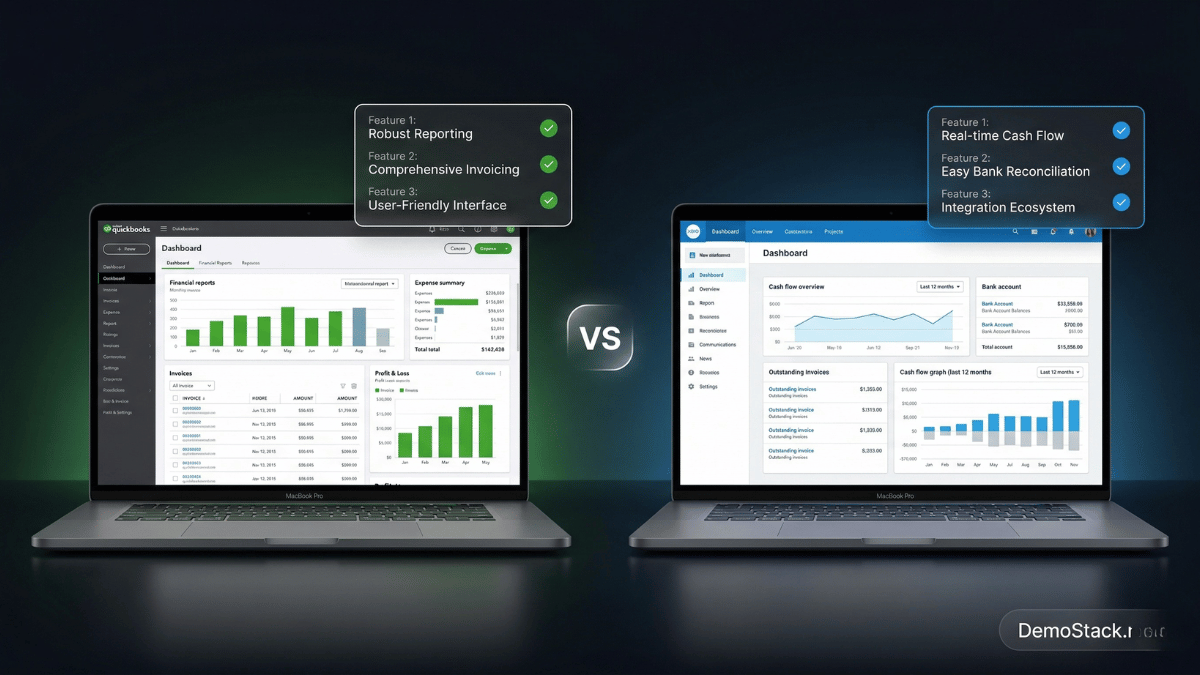
Two of the world’s most popular accounting platforms. One decision that will affect how your business manages its finances for years to come. We tested both extensively — here’s our honest, detailed verdict on QuickBooks vs Xero in 2026.
QuickBooks vs Xero: Why This Decision Matters
The QuickBooks vs Xero debate is one of the most searched accounting software comparisons in 2026, and for good reason. Choosing between these two platforms is one of the most consequential software decisions a small business owner makes. Unlike a project management tool or a marketing platform that you can swap relatively easily, your accounting software becomes deeply embedded in your business operations. Specifically, your accountant learns it, your data lives in it, your processes are built around it, and migrating away is a significant undertaking. As a result, getting this QuickBooks vs Xero decision right from the start saves you time, money, and frustration for years.
The good news is that both QuickBooks and Xero are genuinely excellent products. Both are cloud-based, both are trusted by millions of businesses, and both cover the core accounting functions that every small business needs: invoicing, expense tracking, bank reconciliation, and financial reporting. However, the QuickBooks vs Xero debate is not about quality. Instead, it is about which accounting software platform is the better fit for your specific situation.
In 2026, the competitive landscape between these two accounting software giants has shifted meaningfully. For example, Xero launched JAX (Just Ask Xero), a generative AI assistant that lets users ask natural language questions about their finances and automate entire accounting workflows. Meanwhile, QuickBooks doubled down on its ecosystem advantage, deepening integrations with its suite of Intuit products and expanding its AI-powered finance agent capabilities. As a result, both platforms have evolved significantly, making this the most nuanced QuickBooks vs Xero comparison yet.
In this guide, we cover everything that matters in the QuickBooks vs Xero comparison, including pricing, features, ease of use, integrations, payroll, international capabilities, accountant compatibility, and the specific business scenarios where each platform wins, so you can make a confident, informed decision.
QuickBooks vs Xero: Who Built Them and Why?
QuickBooks, The American Incumbent
Developed by Intuit and first launched in 1992, QuickBooks is the most established accounting software brand in the US market. With over 7 million users and a 62% share of the US small business accounting market, it is the platform that defined the category. QuickBooks Online (QBO), the cloud-based version, competes directly with Xero, while QuickBooks Desktop and QuickBooks Enterprise serve more complex needs. QuickBooks’ biggest asset is its ecosystem: 700,000+ certified QuickBooks ProAdvisors (accountants and bookkeepers), 750+ app integrations, and deep integration with Intuit’s suite of financial tools including payroll, tax preparation (TurboTax), and payments.
Xero, The Modern Challenger
Founded in New Zealand in 2006, Xero was built from the ground up as a cloud-first accounting platform with a philosophy of “beautiful business,” making accounting software genuinely pleasant to use. With 4.4 million subscribers across 180+ countries, Xero has established itself as the leading QuickBooks alternative globally, and the preferred platform in the UK, Australia, and New Zealand. Xero’s strengths are its clean, modern interface, unlimited user access on every plan, 1,000+ third-party integrations, native multi-currency support, and since 2026, the JAX AI assistant that is fundamentally changing how business owners interact with their financial data.
QuickBooks vs Xero: Pricing Comparison 2026
Pricing is where the QuickBooks vs Xero comparison gets genuinely interesting, because the two accounting software platforms use fundamentally different pricing philosophies. Consequently, the cheaper option depends entirely on your team size and feature needs.
QuickBooks Online Pricing 2026
Simple Start
$35/mo
1 user
Invoicing, expense tracking, reports, bank reconciliation. Basic plan for sole traders and freelancers.
Essentials
$65/mo
Up to 3 users
Everything in Simple Start + bill management, time tracking, multi-currency support.
Plus
$99/mo
Up to 5 users
Everything in Essentials + inventory tracking, project profitability, budgeting tools.
Advanced
$235/mo
Up to 25 users
Everything in Plus + custom reporting, dedicated account manager, business analytics, automation.
Xero Pricing 2026
Early
$15/mo
Unlimited users · 20 invoices/5 bills limit
Basic invoicing and expense tracking. Severely limited — most businesses outgrow it within weeks.
Growing
$42/mo
Unlimited users · Unlimited invoices
Unlimited invoicing, bank reconciliation, expense claims. No multi-currency or project tracking.
Established
$78/mo
Unlimited users · Full features
Everything in Growing + multi-currency (160+ currencies), project tracking, expense management, analytics.
The Real Pricing Difference: User Seats
Xero includes unlimited users on every plan. QuickBooks limits you to 1–25 users depending on plan. For a business with 5+ people who need accounting access — owner, bookkeeper, accountant, operations manager, finance assistant — Xero’s $78/month Established plan covers everyone. QuickBooks Plus at $99/month covers only 5 users, and QuickBooks Advanced at $235/month is needed for larger teams. For small teams of 1–3 people, QuickBooks is often more cost-effective. For teams of 5+, Xero’s unlimited-user model frequently wins on total cost.
| Team Size | QuickBooks Cost | Xero Cost | Winner |
|---|---|---|---|
| 1 user | $35/mo (Simple Start) | $42/mo (Growing) | QuickBooks |
| 3 users | $65/mo (Essentials) | $42/mo (Growing) | Xero |
| 5 users | $99/mo (Plus) | $78/mo (Established) | Xero |
| 10+ users | $235/mo (Advanced) | $78/mo (Established) | Xero by far |
QuickBooks vs Xero: Feature-by-Feature Comparison
📄 Invoicing
Both platforms offer professional invoicing with customizable templates, automatic payment reminders, and online payment acceptance. In terms of flexibility, QuickBooks gives you more granular control over invoice customization and makes it easy to update client details directly within the invoice without navigating away. By contrast, Xero’s invoice builder is cleaner and more visually appealing but slightly less flexible for complex invoice structures. One important caveat worth noting is that Xero’s Early plan limits you to just 20 invoices per month, a restriction that most businesses outgrow immediately. Fortunately, the Growing plan ($42/month) removes this limit entirely. For high-volume invoicers, both Xero Growing and QuickBooks Essentials handle unlimited invoicing without issue.
🏦 Bank Reconciliation
Bank reconciliation, which means matching your bank transactions to your accounting records, is where both platforms really shine. Both import bank feeds in real time and use machine learning to suggest transaction categories based on your past behavior. In particular, Xero’s reconciliation workflow is widely praised as especially streamlined. The interface presents each unmatched transaction one at a time with suggested matches, making the process feel simple and fast even for non-accountants. QuickBooks’ bank feed is equally functional but presents more information on screen simultaneously. As a result, experienced bookkeepers tend to prefer it, while newcomers can find it overwhelming. Additionally, Xero connects Hubdoc (receipt capture) natively on all plans, whereas QuickBooks offers similar functionality through its own receipt capture feature.
📊 Financial Reporting
This is one of QuickBooks’ strongest advantages overall. Specifically, QuickBooks Online offers over 65 built-in financial reports, including profit and loss, balance sheet, cash flow, accounts receivable aging, accounts payable aging, sales by customer, and dozens more. Furthermore, the Advanced plan adds custom reporting with drag-and-drop report building. By comparison, Xero’s reporting is solid but more limited, particularly on the Growing plan, where deeper analytics require an upgrade to Established. That said, Xero’s newer analytics dashboard is improving, and JAX AI can now generate financial summaries in plain English, which is a meaningful addition. Nevertheless, for businesses that live in financial reports, including accountants, CFOs, and finance-focused owners, QuickBooks’ reporting depth remains genuinely superior.
📦 Inventory Management
For product-based businesses, QuickBooks wins convincingly in this area. QuickBooks Plus and Advanced include native inventory tracking, such as cost of goods sold calculation, stock level monitoring, purchase order management, and inventory valuation reports, all built in without additional apps. In contrast, Xero includes only basic inventory tracking on the Established plan, and most product-heavy businesses need a third-party inventory app like DEAR Inventory or Cin7 to handle it properly. Consequently, this adds cost and integration complexity that QuickBooks avoids natively. Therefore, if your business sells physical products and inventory management is a daily concern, QuickBooks is the more natural home.
💸 Payroll Integration
For US businesses, QuickBooks has a significant structural advantage: built-in payroll via QuickBooks Payroll, which integrates seamlessly with the accounting platform. Specifically, when you run payroll in QuickBooks, the journal entries post automatically to your general ledger, requiring no manual entries and no reconciliation. On the other hand, Xero has no built-in US payroll. As a result, US Xero users must integrate a third-party payroll provider, most commonly Gusto, which connects natively to Xero and syncs payroll transactions automatically. This works well in practice; however, it adds a subscription cost ($49 or more per month for Gusto) and a layer of integration complexity that QuickBooks Payroll eliminates. It is worth noting that for UK, Australian, and New Zealand businesses, Xero offers native payroll that is highly regarded. Nevertheless, for US small businesses where payroll integration matters, QuickBooks has the cleaner built-in solution.
🌍 Multi-Currency Support
Xero wins this category clearly. Multi-currency support, including invoicing, expenses, and reporting in 160+ foreign currencies with automatic exchange rate updates, is included in Xero’s Established plan ($78/month). In comparison, QuickBooks includes multi-currency only on the Essentials plan ($65/month) and above, and the implementation is less robust. Moreover, users report more friction when dealing with complex multi-currency transactions. Therefore, for businesses with significant international invoicing, suppliers in foreign currencies, or clients paying in non-USD currencies, Xero’s multi-currency handling is notably smoother and more comprehensive.
🤖 AI Features in 2026
Both platforms have invested heavily in AI in 2026, though with different approaches. Notably, Xero’s JAX (Just Ask Xero) is arguably the more transformative addition. It is a generative AI assistant that lets you ask natural language questions about your finances, such as “Show me overdue invoices” or “What is my cash position this quarter?” and get instant, visual answers. Consequently, JAX grew 61% in adoption in just three months after launch, suggesting it genuinely changes how business owners engage with their accounting data. Meanwhile, QuickBooks’ AI focuses more on automation, specifically AI-powered categorization, anomaly detection, and workflow automation through its AI finance agents. To summarize, both are genuinely useful. Xero’s JAX is more conversational and accessible for non-accountants, while QuickBooks’ AI automation is more powerful for high-volume bookkeeping workflows.
QuickBooks vs Xero: Complete Side-by-Side Table
| Feature | QuickBooks Online | Xero | Winner |
|---|---|---|---|
| Starting Price | $35/mo (1 user) | $15/mo (unlimited users) | Xero (for teams) |
| User Limits | 1–25 users (by plan) | Unlimited on all plans | Xero |
| Invoicing | ✓ Unlimited (all plans) | Limited on Early plan | QuickBooks |
| Bank Reconciliation | ✓ Excellent | ✓ Excellent (slightly simpler UX) | Tie |
| Financial Reporting | 65+ reports, highly customizable | Solid but less comprehensive | QuickBooks |
| Inventory Management | ✓ Native (Plus+) | Basic only — needs add-on | QuickBooks |
| US Payroll | ✓ Native integration | Third-party only (e.g. Gusto) | QuickBooks |
| Multi-Currency | Available (Essentials+) | ✓ Superior (160+ currencies) | Xero |
| App Integrations | 750+ integrations | 1,000+ integrations | Xero |
| AI Features | AI automation & agents | JAX conversational AI assistant | Tie (different approaches) |
| Ease of Use | 4.1/5 GetApp | 4.2/5 GetApp | Xero (slightly) |
| Mobile App | Excellent — highly rated | Good — some features desktop-only | QuickBooks |
| Accountant Network (US) | 700,000+ ProAdvisors | Growing but smaller US network | QuickBooks |
| International Presence | Strong in US/Canada | Strong globally (180+ countries) | Xero |
| Free Trial | 30 days | 30 days | Tie |
| G2 Rating | 4.0/5 | 4.3/5 | Xero |
QuickBooks vs Xero: Ease of Use Compared
Both platforms are cloud-based and accessible from any browser, but they approach interface design very differently, and this difference has a real impact on how quickly a non-accountant can become productive. According to GetApp’s independent ratings, Xero scores 4.2 out of 5 for ease of use compared to QuickBooks Online’s 4.1 out of 5, though both are competitive.
📘 Xero: Designed for Simplicity First
Xero’s design philosophy is “beautiful business” and it shows. The interface uses a clean horizontal navigation, an uncluttered dashboard focused on the metrics that matter most (cash in, cash out, invoices outstanding, bills due), and a visual style that feels genuinely modern rather than functional-but-dated. Business owners who have never used accounting software before consistently find Xero approachable. The bank reconciliation workflow in particular, which presents one transaction at a time with suggested matches, reduces the cognitive load of bookkeeping significantly. Xero scores slightly higher on ease of use across review platforms (4.2 vs 4.1 on GetApp).
📗 QuickBooks: More Features, Steeper Curve
QuickBooks Online has more features visible on screen at any time, which experienced accountants and bookkeepers appreciate because it means faster access to more functionality, but which newcomers frequently describe as overwhelming. The platform has improved its interface significantly in recent years, and its guided setup process is excellent for first-time users. The mobile app is particularly well-designed, arguably better than Xero’s mobile experience, making on-the-go expense capture and invoice creation notably smooth. The overall learning curve is steeper than Xero, but the payoff for power users is greater access to advanced features once mastered.
🏆 Ease of Use Verdict
If you are new to accounting software and want to get productive quickly, Xero has a gentler learning curve. If you are an experienced bookkeeper or work with a professional accountant, the additional complexity of QuickBooks typically unlocks features you will actually use.
QuickBooks vs Xero: Integrations Compared
Both platforms integrate with hundreds of third-party tools, but the nature and quality of those integrations differ in important ways when comparing QuickBooks vs Xero directly.
📘 Xero: Broader Ecosystem, Open API
Xero’s app marketplace includes 1,000+ integrations, more than QuickBooks’ 750+, and Xero is often praised for the quality and openness of its API, making it a preferred choice for businesses that rely on a custom tech stack. Xero connects particularly well with Shopify, Stripe, HubSpot, Salesforce, and a wide range of e-commerce, CRM, and payments platforms. For startups that are building on multiple modern SaaS tools and need their accounting software to talk to all of them, Xero’s broader ecosystem can be a genuine differentiator.
📗 QuickBooks: Fewer but Deeper US Integrations
QuickBooks’ 750+ integrations are fewer in number but often deeper in quality for US-centric business tools. The native integration with Intuit’s own products, including QuickBooks Payroll, QuickBooks Payments, and TurboTax, is seamless in a way that no third-party connection can match. For US businesses that use QuickBooks as part of the broader Intuit financial ecosystem, this integration depth is meaningful. QuickBooks also connects natively with many industry-specific tools, particularly in construction, manufacturing, and professional services, that Xero serves less well.
🏆 Integrations Verdict
Both platforms integrate with Gusto for payroll, Shopify for e-commerce, and Salesforce for CRM, making the integration comparison less decisive for many businesses than it appears at first glance. If you use a tool that is specific to one platform’s marketplace, that becomes a deciding factor. For most standard business tools, both platforms are equally well-connected.
QuickBooks vs Xero: Who Should Choose Which?
Rather than declaring one platform universally better in the QuickBooks vs Xero debate, here are the specific business situations where each accounting software platform clearly wins:
Choose QuickBooks if you sell physical products
Native inventory tracking, cost of goods sold calculation, and purchase order management are included in QuickBooks Plus without additional apps. For retail businesses, manufacturers, and product-based e-commerce stores, this built-in inventory capability is a significant advantage over Xero’s more limited native inventory tools.
Choose QuickBooks if your accountant works in QuickBooks
With 700,000+ certified QuickBooks ProAdvisors in the US, the overwhelming majority of US accountants and bookkeepers are trained in QuickBooks. If your CPA or bookkeeper specifically uses or recommends QuickBooks, the collaboration benefits — shared access, familiar workflows, tax preparation integration — typically outweigh any feature advantages Xero might offer.
Choose QuickBooks if you need built-in US payroll
QuickBooks Payroll integrates natively with QuickBooks Online — payroll transactions post automatically to your general ledger with no manual entries. For US businesses where clean payroll-to-accounting integration matters, this native connection is cleaner than Xero’s third-party payroll approach. Our full QuickBooks review covers the complete platform including payroll options.
Choose QuickBooks if you need deep financial reporting
With 65+ built-in reports and the most customizable reporting suite in the category, QuickBooks is the better choice for businesses where financial analysis is a daily priority. Finance managers, CFOs, and data-driven owners who live in financial reports will find QuickBooks’ reporting capabilities significantly more comprehensive than Xero’s.
Choose Xero if multiple people need accounting access
Xero’s unlimited users on every plan is its single biggest competitive advantage for growing teams. If your business needs 3, 5, or 10 people to access accounting data — owner, bookkeeper, accountant, operations manager, department heads — Xero’s flat pricing saves hundreds or thousands of dollars annually compared to QuickBooks’ per-user-tier model.
Choose Xero if you operate internationally
Xero’s multi-currency support across 160+ currencies, IFRS compliance, and strong presence in 180+ countries makes it the natural choice for businesses with international operations, overseas suppliers, or clients who pay in foreign currencies. Xero was built with global business in mind from day one — QuickBooks was built primarily for the US market.
Choose Xero if you’re a startup or service-based business
Xero’s cleaner interface, unlimited users, and lower mid-tier pricing make it particularly popular with startups, agencies, consultancies, and service businesses where invoicing and expense tracking are the primary accounting needs. If you don’t need inventory management or built-in US payroll, Xero offers most of what you need at a lower total cost.
Choose Xero if you want the best AI accounting assistant
Xero’s JAX AI assistant — which lets you ask natural language questions about your finances and automate accounting workflows — is the most transformative AI addition to any accounting platform in 2026. For business owners who want to interact with their financial data conversationally rather than through menus and reports, JAX changes the experience of accounting software fundamentally.
QuickBooks vs Xero: Pros and Cons Summary
Based on our research and verified user ratings from G2’s independent comparison, here is a complete summary of the strengths and weaknesses of each accounting software platform:
✅ QuickBooks Pros
- 62% US market share — industry standard for US accountants
- 700,000+ certified ProAdvisors available for support
- Native US payroll integration via QuickBooks Payroll
- 65+ built-in financial reports — most comprehensive in category
- Native inventory management on Plus and above
- Deep Intuit ecosystem integration (TurboTax, QuickBooks Payments)
- Excellent mobile app — highest-rated in category
- 750+ third-party app integrations
- 30-day free trial on all plans
❌ QuickBooks Cons
- Per-user pricing becomes expensive for larger teams
- Steeper learning curve than Xero for beginners
- Prices have increased multiple times in recent years
- Multi-currency less robust than Xero for international businesses
- Customer support ratings below average on Trustpilot
- Advanced reporting locked to higher-tier plans
✅ Xero Pros
- Unlimited users on every plan — no per-seat fees
- Cleaner, more modern interface — rated slightly easier to use
- JAX AI assistant — best conversational AI in accounting software
- Superior multi-currency support (160+ currencies)
- 1,000+ app integrations — largest ecosystem in the category
- Stronger pricing for teams with 3+ users
- Better fit for international businesses (180+ countries)
- Higher G2 rating (4.3 vs 4.0)
- More predictable pricing without frequent increases
❌ Xero Cons
- No built-in US payroll — requires third-party integration
- Early plan severely limited (20 invoices/month cap)
- Financial reporting less deep than QuickBooks
- Smaller US accountant network (fewer ProAdvisors)
- Native inventory management weaker than QuickBooks
- Mobile app has fewer features than desktop version
- Limited phone support — primarily email and chat
Switching Between QuickBooks and Xero: What to Expect
Yes, migrating between QuickBooks and Xero is possible, though it requires careful planning. Both platforms offer tools to facilitate the move. Specifically, Xero provides a conversion tool that imports QuickBooks data directly, including chart of accounts, customer and vendor lists, and transaction history. Going the other direction (Xero to QuickBooks) requires CSV file exports and imports. The process typically takes a few hours to a few days depending on data volume, and most professional bookkeepers can manage the migration without disrupting day-to-day operations.
The critical step is reconciling opening balances after migration — making sure your financial position in the new platform matches exactly what you had in the old one. A qualified bookkeeper who has experience with both platforms can typically complete this process cleanly. The best time to migrate is at the start of a new financial year, when the historical data is cleanest and there’s less mid-year complexity to carry over.
If you’re considering switching, take advantage of both platforms’ 30-day free trials — import a sample of your real data and test the workflows you use most often before making a final commitment. Both platforms allow you to run a trial concurrently with your existing software, so there’s no risk in testing thoroughly before deciding.
🏆 QuickBooks vs Xero: Final Verdict 2026
There is no universally correct answer to the QuickBooks vs Xero question, and anyone who tells you otherwise has not thought carefully about it. Both accounting software platforms are genuinely excellent, and both are trusted by millions of successful businesses worldwide. The QuickBooks vs Xero decision comes down to your specific situation. Choose QuickBooks if you sell physical products, work with a US accountant who uses QuickBooks, need built-in payroll, or rely heavily on financial reporting and analytics. Choose Xero if multiple people in your business need accounting access, you operate internationally, you prefer a cleaner and more modern interface, or you want the best AI-powered accounting assistant in the category. If you are genuinely unsure, take advantage of both 30-day free trials, connect your bank, import some real data, and let your own experience guide the final QuickBooks vs Xero decision.
📗 Choose QuickBooks if you:
- Sell physical products needing inventory tracking
- Work with a US accountant trained in QuickBooks
- Need native US payroll integration
- Require deep, customizable financial reporting
- Already use other Intuit products (TurboTax, etc.)
- Have 1–3 users who need accounting access
📘 Choose Xero if you:
- Have 3+ users who need accounting access
- Operate internationally with multi-currency invoicing
- Prefer a cleaner, more modern interface
- Want the best AI accounting assistant (JAX)
- Are a service business, startup, or agency
- Want more predictable pricing without frequent increases