Deel Review 2026: Hands-On Look at EOR, Global Payroll, and Contractor Management

Affiliate Disclosure: This article contains affiliate links. If you sign up through our link, we may earn a commission at no extra cost to you. We only recommend tools we genuinely believe provide value. Read our full disclaimer
Deel Review 2026: What I Learned After Using It for Global Hiring, Payroll, and Contractor Management
I walked through every major workflow in Deel — from onboarding a contractor in minutes to navigating the EOR setup flow for a hire in Germany. This is what I found: what works exactly as advertised, where the platform surprised me, and the two things you should know before signing an annual contract.
Deel Review 2026: First Impressions, Signup, and Dashboard
🚀 Getting Into the Platform
Starting this Deel review from the very beginning: the signup process took approximately ten minutes. The onboarding flow opens with three questions — your company name, country of registration, and the type of worker you want to hire first. After email verification and a quick KYC check, you land on the main dashboard. The first thing that stood out was how uncluttered the interface feels for a platform operating at this scale. The left sidebar organizes everything into five clear navigation sections: People, Payments, Contracts, Reports, and Settings. There is no overwhelming wall of features on first load, which is a deliberate product decision that makes onboarding far less intimidating than comparable enterprise HR platforms.
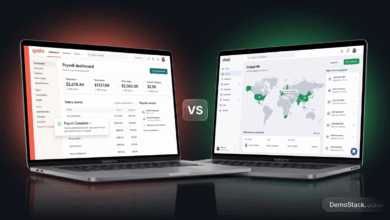
The dashboard home screen shows four key summary cards: active workers, upcoming payment runs, contracts pending action, and compliance alerts. Below the cards, a world map populates with pins for every location where you have active workers. As your team grows across multiple countries, this map becomes a genuinely useful at-a-glance view of your workforce geography. Furthermore, a Recent Activity feed in the right column shows the last ten events across your account — new contracts signed, payments processed, compliance items resolved — which means you can catch up on the account status in seconds rather than clicking through multiple menus.
🎨 Platform Navigation and UX Quality
One thing I want to address directly in this Deel review is the UX quality, because it matters more than most software reviews acknowledge. Deel’s interface uses a clean, modern design language with consistent spacing, predictable navigation patterns, and clear visual hierarchy. Buttons are where you expect them to be. Workflows progress logically from step to step without dead ends or confusing branching paths. Error messages are written in plain English rather than generic error codes. Consequently, I was able to navigate between the main product areas — Contractor Management, EOR, and Global Payroll — without any training documentation or onboarding calls, which is not something you can say about most enterprise HR platforms.
See the Deel dashboard for yourself — free account, no credit card required
Join 35,000+ companies already hiring and paying global teams through Deel.
Deel Review: Contractor Management — Full Step-by-Step Walkthrough
⚡ Onboarding a Contractor: What the Flow Actually Looks Like
Contractor Management is the product I tested first in this Deel review, and it is the one that most immediately demonstrates why the platform has grown to 35,000 customers. To create a new contractor, you click the bright pink Add Worker button in the top right corner of the People section. A modal opens asking you to choose between Employee and Contractor. After selecting Contractor, a six-step guided flow begins — and the entire process from start to sent contract took me less than ten minutes.
Step one captures the basics: the contractor’s name, email address, country of residence, and job title. What I noticed immediately is that as soon as you select the contractor’s country, a compliance sidebar automatically populates on the right side of the screen. It tells you the recommended contract type for that jurisdiction, any local restrictions on contractor relationships, the standard payment currency, and whether Deel Shield is recommended for that market. This information is not hidden in a help article — it is surfaced contextually, at the exact moment you need it, before you make any decisions that could be difficult to reverse. Furthermore, if the country you select carries elevated misclassification risk, Deel flags this in orange text with a recommendation to review local law before proceeding.
Step two covers the contract terms: fixed-rate or pay-as-you-go, the rate, the currency, the payment schedule frequency, and the start date. Step three handles scope of work — there is a free-text field for the job description plus optional fields for deliverables and success metrics. Step four covers any equipment allowances, signing bonuses, or additional clauses you want to include. Step five generates the contract document: a professionally formatted PDF appears in a preview panel inside the browser. The document includes all mandatory local clauses for the contractor’s country, pre-populated based on your inputs. Step six sends the contract to the contractor via email for digital signature. The contractor receives a clean email with a single review-and-sign link — they do not need to create a Deel account before signing, which removes a common friction point in contractor onboarding.
💳 The Invoice and Payment Workflow in Practice
Once a contractor is onboarded and their contract is active, payment processing is the next workflow I tested. Contractors access their own Deel dashboard and see a clean interface showing their active contract, payment schedule, and an Add Invoice button. Submitting an invoice takes about two minutes: the contractor selects the billing period, enters the hours worked or deliverable completed, attaches any supporting documentation if required, and clicks Submit. On the company side, submitted invoices appear immediately in the Payments section under a Pending Approvals view, organized by contractor and billing period.
Approving an invoice is a single click. Once approved, Deel queues the payment for the next scheduled processing date and sends the contractor an email confirmation. What genuinely impressed me during this walkthrough was the range of contractor withdrawal options. When I navigated to the withdrawal settings inside a contractor account, I counted nine distinct methods: local bank transfer in the contractor’s own currency, SWIFT international wire, PayPal, Wise, Coinbase (Bitcoin and Ethereum), the Deel Card, Payoneer, and several regional payment networks available in specific markets. As a result, contractors in countries with limited traditional banking access — particularly in sub-Saharan Africa, Southeast Asia, and Latin America — can receive payments reliably without being forced into expensive international wire transfers. Moreover, contractors can split their withdrawal between multiple methods simultaneously, such as sending 70% to a bank account and loading 30% onto their Deel Card for daily expenses.
🛡️ Deel Shield: How Misclassification Protection Works Inside the Platform
During the contractor creation flow, Deel Shield appears as a prominent opt-in toggle in the setup screen. When I enabled it for a test contractor in a jurisdiction known for strict worker classification rules, the platform immediately generated a risk assessment for that specific country. The assessment covered four key dimensions: working hours flexibility, number of concurrent clients, degree of work direction, and provision of tools and equipment. Each dimension received a risk rating, and the overall classification risk score appeared as a percentage. If the risk score exceeded a threshold, Deel recommended transitioning to EOR employment rather than continuing as a contractor relationship.
This is exactly the kind of contextual compliance guidance that solo founders and small HR teams genuinely need but rarely have access to without expensive legal advice. Consequently, Deel Shield is not just a checkbox feature — it functions as a practical risk management tool integrated directly into the workflow where the risk actually occurs.
✅ Contractor Management: What Works Well
- Complete onboarding flow in under 10 minutes start to finish
- Country compliance information surfaced automatically during setup, not buried in docs
- Locally compliant contracts generated and sent for e-signature in one uninterrupted flow
- Nine contractor withdrawal methods including Deel Card and cryptocurrency
- Deel Shield risk assessment integrated directly into the creation workflow
- Contractor experience is clean, mobile-friendly, requires no prior Deel account to sign
⚠️ Contractor Management: Watch Out For
- Contractor withdrawal fees vary by method and country — contractors should review before selecting a withdrawal option
- Advanced project-tracking or billing automation beyond invoicing requires a separate tool
- Deel Shield is an add-on feature, not automatically included in all contract types
Contractor Management Pricing
From $49 per contractor per month. Includes contract generation, invoice management, multi-currency payments, Deel Card, and basic compliance tools. No minimum contractor count. Start paying contractors with Deel →
Deel Review: Employer of Record — Walking Through the EOR Hiring Flow
🌍 What Selecting Employee Actually Shows You
When you click Add Worker and select Employee rather than Contractor, the first screen asks for the hire’s country of residence. As soon as you select a country, the right panel populates with everything you need to understand before proceeding: whether Deel has a locally owned entity there or uses a partner network, the estimated time to activate employment, a cost preview showing Deel’s service fee alongside estimated local statutory employer contributions, and a list of mandatory benefits that will be configured as part of the employment setup. For Germany, this screen showed a 20 to 22% employer social contribution rate, a mandatory probation period of up to six months, 20 statutory holiday days plus public holidays, and an estimated activation time of three to five business days. All of this appears before you enter a single employment detail, which is exactly the right time to see it.
This pre-commitment transparency is one of the things I most appreciated during this section of the Deel review. Many companies discover the true cost of an international EOR hire only when the first invoice arrives. Deel’s approach of surfacing country-specific cost and compliance information at the selection stage eliminates that unwelcome surprise entirely. Furthermore, the information is presented in plain English rather than legal language, making it accessible to founders and operators who are not employment lawyers.
📊 The EOR Cost Calculator: Walking Through a Real Example
After selecting Germany as the hire country, the flow prompts you to enter the employment details: job title, salary in euros, start date, and scope of work. As soon as you enter the gross annual salary, a live cost calculator updates in real time showing five line items: Deel’s monthly service fee, the monthly gross salary equivalent, health insurance contribution, pension contribution, unemployment insurance contribution, and a total monthly employer cost figure. For a test hire at €60,000 annual salary, the total monthly employer cost displayed was approximately €5,800 to €6,100 depending on the specific benefits configuration — meaningfully higher than simply dividing €60,000 by twelve. In addition, adjusting the salary figure updates all lines instantly, making it genuinely easy to model different compensation scenarios and understand their budget implications before making an offer to a candidate.
📝 Contract Generation and the Employee Onboarding Experience
After completing the employment terms, Deel generates a draft employment contract that appears as a formatted PDF preview directly in your browser. For the Germany test hire, the document was in German with all mandatory statutory clauses pre-populated: probation period terms under German employment law, holiday entitlement specifying statutory minimum plus the state-specific public holiday calendar, notice period escalation based on tenure, social insurance registration obligations, and an IP assignment clause. A free-text field allows you to add custom clauses — confidentiality terms, non-compete provisions, or role-specific requirements — before the contract is finalized and sent for signature.
The employee receives the contract via email with a review-and-sign link. When they click through, they see a clean document viewer with the full contract on the left and a signature panel on the right. After signing, the employee is prompted to complete their onboarding profile: bank details, tax identification number, emergency contact information, and required identity documents. This entire post-signature onboarding sequence is managed inside Deel’s employee portal, which means HR does not need to separately collect and process this information via email. Consequently, the full cycle from sending the contract to having an employment-ready new hire profile in the system takes three to five business days including the time for the employee to complete their part.
👤 Managing EOR Employees After Hire
Once an EOR employee is active, their profile in the Deel platform shows a consolidated view of everything relevant to their employment: contract details, salary history with a full audit trail of every change, time off balance and request history, expense submissions with approval status, documents including payslips and tax certificates, and upcoming payroll dates. The employee self-service portal is deliberately simpler than the company view — workers see only their own information and the actions relevant to them. From the portal, employees can download any payslip with a single click, submit time off requests through a calendar view that shows the team’s existing leave, upload expense receipts via a mobile-friendly photo capture flow, and update their bank details without contacting HR. In practice, this self-service model reduces the volume of routine HR admin inquiries significantly, which is particularly valuable for distributed teams where HR and employees are in different time zones.
EOR Pricing
From $499 per employee per month (annual billing). Total cost always includes local statutory employer contributions on top of Deel’s fee — the in-platform cost calculator shows the full country-specific breakdown before you commit. Covers 88 countries through Deel’s owned legal entities. Book a Deel demo for EOR →
Deel Review: Global Payroll — What Running a Multi-Country Payroll Cycle Looks Like
🔄 Understanding Global Payroll vs EOR Before You Click Anything
Global Payroll is the product area that caused the most initial confusion during this Deel review, because the name implies something broader than what it actually does. To be clear: Global Payroll is not for hiring employees in countries where you lack a legal entity — that is what EOR is for. Global Payroll is for running payroll in countries where you already have registered entities but want to consolidate the process into Deel rather than managing separate local payroll providers in each market.
In practice, a company with entities in the UK, Germany, and Singapore might currently be working with three separate local payroll vendors, receiving three different payslip formats, submitting three different approval workflows, and reconciling three different invoices every month. Global Payroll replaces all three with a single consolidated flow inside Deel — same data, same workflow, same reporting format, regardless of which country the payroll run is for. Consequently, the value of Global Payroll is primarily operational consolidation and efficiency rather than compliance outsourcing in the way EOR is.
📋 The Payroll Run Workflow: Step by Step
The Global Payroll workflow begins in the Payments section of the left sidebar. Each entity you have connected to Deel appears as a named payroll group with its own status card showing the next payroll run date, the number of employees in scope, and the current run status. When a payroll run is due, a banner notification appears in the dashboard and a status badge changes from Scheduled to Awaiting Review. Clicking into the run opens the payroll review screen.
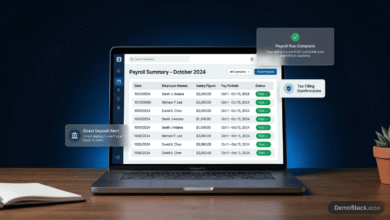
The review screen is laid out as a table with one row per employee showing their gross salary, any bonuses or one-time items entered for that cycle, pending expense reimbursements, and calculated employer costs. What I found particularly well-designed is the variance highlighting: any figure that has changed since the previous payroll cycle is highlighted in amber. This means the approver does not need to compare this period to last period manually — the platform does it automatically and draws attention to only the items that require a decision. After reviewing and confirming the data, an authorized approver clicks Approve Payroll, and the system generates the payment instructions for disbursement to each employee.
🔗 ERP Integration: How the Accounting Sync Works in Practice
Under Settings and then Integrations, Deel shows a list of available accounting and ERP connections including NetSuite, QuickBooks, Xero, SAP, and Microsoft Dynamics. Setting up the QuickBooks integration, for example, involves connecting your QuickBooks account via OAuth, then mapping each Deel payroll line item — gross salary, health insurance contribution, employer pension contribution, payroll tax — to the corresponding account code in your chart of accounts. This mapping setup takes an hour or so initially but runs automatically after that.
Once configured, every payroll run automatically posts the corresponding journal entries to QuickBooks after Deel processes the payments. Salary debits, employer cost credits, tax liability entries, and benefit contributions all arrive in the correct accounts without manual data entry. Furthermore, contractor invoices and their associated FX conversion rates flow through the same integration, giving finance teams a complete picture of global workforce costs inside their accounting system without any manual reconciliation work. In practice, this integration eliminates what is typically a two to four hour month-end task for finance teams managing multi-country payroll.
✅ Global Payroll: What Works Well
- Single approval workflow for multi-country payroll — no more juggling separate vendors
- Variance highlighting surfaces changes from previous cycles automatically
- Multi-level approval configuration for finance sign-off controls
- ERP integration with chart-of-accounts mapping eliminates month-end manual journal work
- 120+ currency support with automated FX rate processing
- Unified payroll reporting across all entities in one exportable view
⚠️ Global Payroll: Watch Out For
- $1,000 implementation fee per entity adds meaningful upfront cost for multi-entity setups
- Chart-of-accounts mapping requires one-time configuration investment
- For some countries Deel routes payroll through local in-country partners — confirm delivery model for your specific markets during your demo
- Support response times slow noticeably during peak payroll processing periods
Global Payroll Pricing
From $29 per employee per month, plus a $1,000 implementation fee per entity. Supports 150+ countries and 120+ currencies. Best for companies with existing entities needing consolidated multi-country payroll. Talk to Deel about Global Payroll →
The Compliance Dashboard and Workflow Automation
📊 What the Compliance Dashboard Actually Shows
The Compliance section sits in the left sidebar under the People menu. Opening it reveals a status grid showing every country where you have active workers, each with a color-coded compliance health indicator: green for fully compliant, amber for items awaiting attention, and red for items requiring immediate action. Clicking any country drills down into a detailed view showing a checklist of compliance requirements for that jurisdiction — mandatory benefits enrollment, required documentation uploads, periodic reporting obligations, and any upcoming regulatory deadlines.
To test this during the review, I deliberately left a mandatory benefit unconfigured for a test EOR hire. The compliance dashboard flagged it as an amber item within minutes, surfaced a plain-English description of what was missing and why it mattered under local law, and provided a step-by-step resolution path directly in the interface — not a link to a help article, but an actionable guided flow. Clicking Resolve launched the benefit configuration modal pre-filled with the relevant options for that country. After completing it, the compliance status for that hire updated to green immediately. This proactive, actionable approach to compliance monitoring is meaningfully different from receiving a vague compliance warning with no clear resolution path.
⚙️ The Workflow Builder: Setting Up Automation in Practice
Deel’s Workflow Builder is found under Settings and then Automations. The interface is a canvas-style editor where you build trigger-action logic using a visual drag-and-drop approach. Available triggers cover all major platform events: new contractor activated, EOR employee start date reached, contract expiry approaching, payroll run approved, employee offboarding initiated, and around thirty others. Available actions include sending emails, posting Slack messages, creating tasks, updating records in connected systems, and triggering webhooks to external endpoints.
During the review, I tested a workflow that sends an IT provisioning notification to a designated Slack channel whenever a new EOR employee is activated. Setup took approximately four minutes: select the New EOR Employee Activated trigger, add a Post to Slack action, configure the message using dynamic variables — specifically inserting the employee name, start date, country, and job title fields from the trigger data — save and activate. The workflow executed correctly on the first test run. The Slack message arrived with all variables populated correctly, formatted as a clean notification that included everything an IT administrator needs to begin provisioning access for a new hire. For operations teams currently managing these notifications manually via email, this single automation eliminates a repetitive coordination task that occurs every time a new hire activates.
Deel Pricing 2026: Full Plan Breakdown
One of the things I noted positively in this Deel review is that core pricing is published on the website — unusually transparent for a platform at this scale. Here is a complete breakdown of what each plan costs and what it includes:
Contractor Management
$49/contractor/mo
No minimum, no setup fee
Localized contracts, invoice management, multi-currency payments, nine withdrawal methods including Deel Card and cryptocurrency, and basic compliance tools including Deel Shield add-on.
Employer of Record
$499/employee/mo
Annual billing, 88 countries
Full EOR: compliant employment contracts, local payroll, mandatory benefits, tax compliance, termination support, immigration and visa support in 70+ countries. In-platform cost calculator shows total country-specific cost before you commit.
Global Payroll
$29/employee/mo
+ $1,000 implementation/entity
For companies with existing entities. Consolidated payroll across 150+ countries, multi-level approval workflows, ERP integrations with chart-of-accounts mapping, 120+ currency support.
HRIS
$5/employee/mo
Add-on to any plan
Full employee self-service: payslip downloads, time off management, expense submission, document storage, org charts, performance reviews, and onboarding workflows.
Two Pricing Realities to Know Before Signing
First, EOR total cost always exceeds the $499 headline fee. Local statutory employer contributions — social security, mandatory health insurance, pension, unemployment — vary by country and typically add 20 to 40% on top of the gross salary. Always use the in-platform cost calculator before making a hiring decision. Second, Salesforce and HubSpot CRM integrations, US Payroll, and certain analytics features are available on the Scale plan at custom pricing. If these are core requirements, factor them into your budget conversation before signing an annual contract.
Deel Review: Honest Pros and Cons After Using the Platform
After walking through every major workflow and reviewing thousands of verified user reports from G2, Trustpilot, and Capterra, here is a balanced assessment of where Deel genuinely excels and where it falls short:
✅ What Works Really Well
- Contractor onboarding in under 10 minutes — fastest and simplest flow in the category
- Country compliance information surfaced automatically during setup, not in separate documentation
- EOR cost calculator shows total employer cost per country before any commitment
- Nine contractor withdrawal methods — more payment flexibility than any comparable platform
- Deel Shield misclassification risk assessment built directly into the contractor creation workflow
- Payroll variance highlighting catches salary and benefit changes between cycles automatically
- ERP integration with chart-of-accounts mapping eliminates month-end payroll journal work
- Compliance dashboard with actionable resolution flows, not just error messages
- Workflow Builder automation requires no code and is productive within minutes
- Employee self-service portal reduces routine HR admin inquiries to near zero
- 200+ in-house legal experts maintaining compliance across all covered markets
- Transparent pricing on core products published without requiring a sales call
⚠️ Where to Be Careful
- EOR total cost in high-cost markets like Germany or France can reach $700 to $900 per employee per month when statutory costs are included
- $1,000 implementation fee per entity for Global Payroll adds meaningful upfront cost for multi-entity setups
- CRM integrations and advanced analytics require the Scale plan at custom pricing
- US Payroll pricing is not published — requires a sales call
- Support response times slow noticeably during peak payroll processing periods
- Platform breadth can feel overwhelming for a founder who only needs to pay a single overseas contractor
- Performance management features in Deel Engage are less advanced than dedicated platforms like Lattice or Culture Amp
Deel vs Alternatives: Factual Comparison
To complete this Deel review honestly, here is how it compares to the main alternatives based on platform capabilities, published pricing, and verified user data:
| Criteria | Deel | Remote | Rippling | Gusto |
|---|---|---|---|---|
| EOR Countries | 88 (owned entities) | 100+ (mixed) | 50+ via partners | US only |
| Global Payroll | ✓ 150+ countries | ✓ | ✓ | US only |
| Contractor Management | ✓ Best-in-class | ✓ | ✓ | Limited |
| Misclassification Protection | ✓ Deel Shield | Basic | Limited | ✗ |
| EOR Starting Price | $499/mo | $599/mo | Custom | N/A |
| Pricing Transparency | ✓ Published | ✓ Published | Partial | ✓ Published |
| Workflow Automation | ✓ No-code builder | Limited | ✓ Strong | Basic |
| G2 Rating | 4.8/5 | 4.6/5 | 4.8/5 | 4.5/5 |
| Best For | Global teams, all worker types | Simple global EOR | US-HQ, IT integration focus | US-only payroll and benefits |
For a more detailed side-by-side between the two most commonly compared tools for small businesses, see our Deel vs Gusto comparison. Gusto is the stronger choice for US-only payroll and benefits with a clean SMB-first experience. Deel is the clear winner the moment international hiring enters the picture.
🏆 Deel Review 2026: Final Verdict
After walking through every major workflow in the platform — contractor onboarding, EOR setup for Germany, the Global Payroll approval cycle, the compliance dashboard, and the workflow automation builder — my overall assessment is straightforward: Deel is the most complete and operationally polished global workforce platform available in 2026. The contractor onboarding flow is genuinely the fastest in the category. The EOR cost calculator is the kind of transparency feature that prevents expensive surprises. The payroll workflow is clean, auditable, and integrates with the accounting tools finance teams already use. And the compliance dashboard actually helps you fix problems rather than just alerting you that they exist.
The pricing is real, and you should model it carefully before committing. EOR in high-cost European markets can approach $800 to $900 per employee per month when statutory costs are included. Global Payroll has a $1,000 per-entity implementation fee. CRM integrations require the Scale plan. None of this is hidden — Deel shows you the full picture during the setup flows — but it means Deel is a deliberate investment, not a low-cost solution. For any company with genuine international hiring needs, that investment typically pays for itself in the compliance risk it eliminates and the operational overhead it removes. For a founder paying a single overseas contractor for the first time, the $49 per month Contractor Management plan is one of the most accessible and compliant starting points available anywhere in the market.
✅ Deel is right for you if:
- You need to hire employees in countries where you lack a legal entity
- You pay contractors across multiple countries and currencies
- You want consolidated payroll, HR, and compliance in one platform
- You need misclassification protection built into your contractor workflows
- You are scaling internationally and want to avoid managing multiple local vendors
- You need immigration and visa support alongside employment contracts
⚠️ Consider alternatives if:
- You only need payroll for US employees with no international component
- Budget constraints make $499 per EOR employee per month prohibitive
- You need deep performance management beyond what Deel Engage provides
- You want a domestic-first payroll tool with strong US benefits administration for small teams
Ready to Try Deel?
Join 35,000+ companies hiring and paying global teams across 150+ countries — compliantly, from day one.
No minimum employee count. No setup fees on contractor management. Book a demo for EOR and Global Payroll.