Nutshell CRM Pricing 2026: Full Plan Breakdown and Honest Review
Affiliate Disclosure: This article contains affiliate links. If you sign up through our link, we may earn a commission at no extra cost to you. We only recommend tools we genuinely believe provide value. Read our full disclaimer
Nutshell CRM Pricing 2026: Full Plan Breakdown and Honest Review of the Small Business CRM
Nutshell CRM pricing is one of the most accessible in the small business CRM category. Specifically, plans start at $19 per user per month with no seat minimums or maximums. Moreover, every paid tier includes free data migration, world-class live support, and unlimited contacts. This complete Nutshell CRM pricing guide breaks down every plan, every feature, and every limitation. As a result, you can decide whether Nutshell CRM is the right small business CRM for your sales team in 2026. Try Nutshell Free for 14 Days →
Nutshell CRM Pricing Guide: What Is Nutshell and What Are You Paying For?
📊 The Small Business CRM Problem Nutshell Solves
Before breaking down Nutshell CRM pricing, it helps to understand the problem the platform was built to solve. Specifically, small B2B teams typically juggle separate tools for sales pipeline tracking, email marketing, contact management, and reporting. Moreover, this fragmented approach creates data silos, integration headaches, and hidden subscription costs that compound monthly.
For growing businesses, this creates real operational friction. Specifically, sales reps waste hours weekly switching between sales and marketing platforms. Additionally, managers struggle to get unified reporting when data lives across multiple systems. Consequently, small businesses need an all-in-one CRM that delivers sales and marketing tools in a single subscription without enterprise-grade complexity.
💡 What Nutshell CRM Does Differently
Nutshell launched in 2010 specifically to deliver simple yet powerful CRM software for small businesses. Specifically, the platform pioneered a “no admin required” approach where any sales rep can use the system without dedicated administrative resources. Moreover, Nutshell expanded into email marketing in 2021 to become a true all-in-one platform. As a result, the platform consistently delivers stronger total value than fragmented stacks of separate tools.
Today, Nutshell serves thousands of B2B small businesses globally. Furthermore, the platform has been named a “Leader” in G2’s Grid Report for CRM every quarter since Fall 2020. Additionally, Nutshell expanded into AI-powered automation through 2024-2026, adding call transcription, automated CRM logging, and AI-generated email drafts. Therefore, understanding Nutshell CRM pricing tiers is essential before committing to any small business CRM in 2026.
🔗 Nutshell CRM in Your Sales Stack
Nutshell CRM pairs naturally with other tools in modern small business stacks. For example, our pillar guide on how to choose a CRM for a sales team covers the systematic evaluation framework that helps you decide between platforms like Nutshell. Similarly, our Apollo.io review covers the leading sales prospecting platform that complements Nutshell with outbound capabilities. Additionally, our Brevo review covers the email marketing platform alternative for businesses that need standalone email marketing.
Run Sales and Marketing in One Place with Nutshell
Join thousands of small businesses using Nutshell for sales pipeline tracking, email marketing, and AI-powered automation in one platform.
Why Nutshell Is the Best CRM for Small Business Teams in 2026
Nutshell consistently ranks as one of the leading small business CRM platforms. Specifically, the platform competes directly with HubSpot, Pipedrive, and Zoho CRM. Here is what makes Nutshell genuinely stand out as the best CRM for small business teams that need unified sales and marketing tools:
💸 Genuinely Affordable Pricing Without Seat Minimums
Most CRM platforms enforce seat minimums that punish small teams disproportionately. Specifically, HubSpot Sales Hub Professional requires a 5-seat minimum, immediately costing $500+ monthly even for 2-person teams. Moreover, this gatekeeping forces small businesses into oversized subscriptions before they actually need the capacity.
In contrast, Nutshell charges per active user with zero minimums or maximums. Specifically, a solo founder pays for 1 seat, and a 50-person team pays for 50 seats. As a result, Nutshell delivers genuinely fair pricing that scales linearly with actual team size. Therefore, this is one of the most meaningful differentiators in the small business CRM category.
🎯 Unlimited Contacts on Every Plan
Contact-based pricing penalizes growing businesses as their lists expand. Specifically, HubSpot’s contact-based pricing increases significantly as marketing contacts grow into the tens of thousands. Moreover, this creates pressure to delete or archive contacts to manage costs rather than nurture relationships.
Nutshell includes unlimited contacts on every paid plan including the entry-level $19 per user tier. Additionally, unlimited custom fields, deals, and accounts are also included. As a result, businesses scale their CRM data without proportional cost increases. Consequently, this pricing approach genuinely rewards businesses growing their customer relationships rather than penalizing them.
Nutshell as Sales CRM Software: Real Use Cases
Sales CRM software earns its subscription through specific real-world workflows. Specifically, Nutshell serves several distinct B2B sales motions excellently. Here are the use cases where Nutshell genuinely delivers ROI:
📈 B2B Sales Teams Tracking Complex Deals
B2B sales teams managing multi-stakeholder deals benefit significantly from Nutshell’s pipeline visualization. Specifically, the platform handles complex deal flows with multiple touchpoints across long sales cycles. Moreover, Nutshell tracks every email, call, and meeting automatically without manual logging. As a result, sales reps maintain pipeline accuracy without the administrative overhead that destroys CRM adoption elsewhere.
🎯 Small Marketing Teams Without Dedicated Admins
Small marketing teams without dedicated CRM administrators benefit from Nutshell’s “no admin required” design. Specifically, the platform configures itself sensibly without requiring weeks of customization work. Moreover, this matches the reality of small businesses where founders or sales managers wear multiple hats. Additionally, Nutshell’s onboarding includes free data migration assistance to reduce switching friction. Therefore, this approach fits genuinely small teams better than enterprise platforms requiring administrative investment.
📧 Sales Teams That Need Email Marketing Built-In
Sales teams running their own email outreach benefit from Nutshell’s built-in email marketing capabilities. Specifically, Nutshell Marketing handles broadcast emails, drip sequences, and automated nurture flows directly from CRM data. Moreover, this eliminates the need for separate email marketing platforms like Mailchimp or Constant Contact. As a result, businesses save the cost and complexity of running parallel marketing tools.
🚀 Founders Building Sales Operations From Scratch
Solo founders and early-stage teams building sales operations from scratch benefit from Nutshell’s gentle learning curve. Specifically, the platform configures sensibly out of the box without overwhelming new users. Moreover, this matches the reality of founders who lack dedicated revenue operations resources. Additionally, the 14-day free trial without credit card requirement reduces evaluation friction. Therefore, this is the ideal CRM for resource-constrained early-stage businesses establishing their first systematic sales process.
Nutshell CRM Features: Full Breakdown for 2026
Here is every major feature in this Nutshell CRM review. Moreover, each description includes honest detail on what works well and where genuine limitations exist:
📊 Sales Pipeline Management
Visual Pipeline Boards
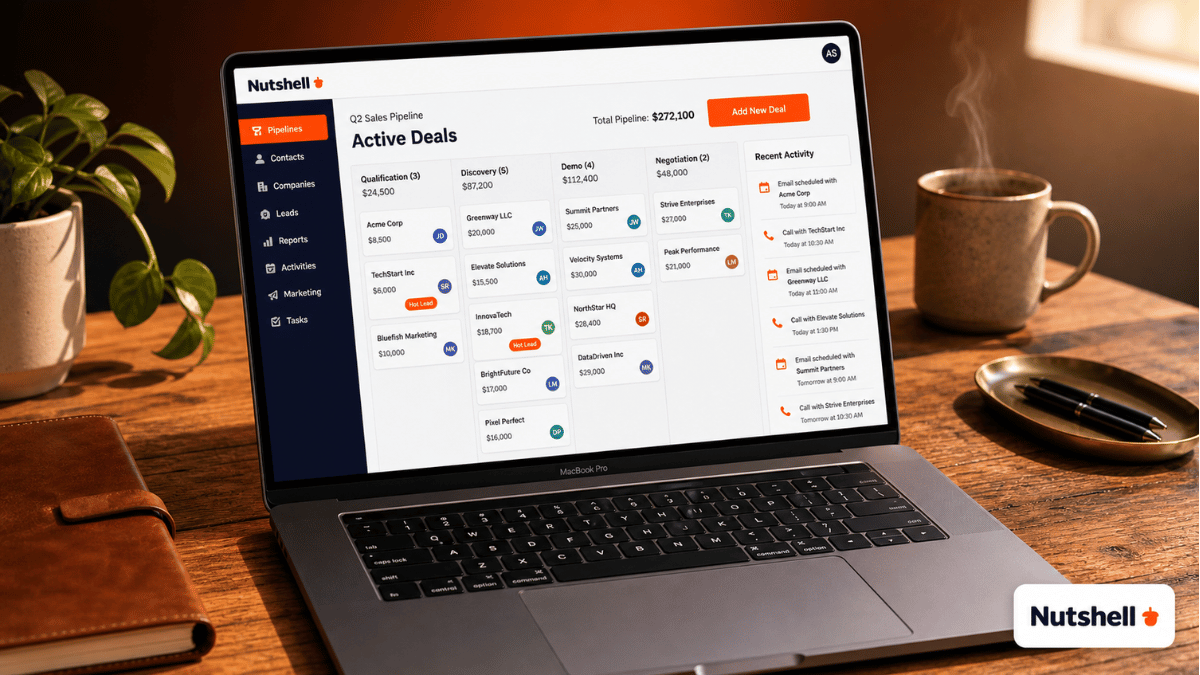
Nutshell’s visual pipeline boards display deals as draggable cards across customizable stages. Specifically, sales reps move deals between qualification, discovery, demo, proposal, and closed stages with simple drag-and-drop. Moreover, the visual approach makes pipeline status immediately obvious without analyzing reports. As a result, daily standups and pipeline reviews happen significantly faster than with table-based CRMs. Additionally, custom pipeline configurations support different sales motions and product lines.
Sales Automation
Nutshell’s automation handles repetitive sales tasks without manual intervention. Specifically, the platform automates lead routing, follow-up reminders, task creation, and stage progression rules. Moreover, automation triggers fire based on email opens, click-throughs, or stage changes. Additionally, custom workflows adapt to specific business processes without coding. Consequently, sales reps focus on selling rather than administrative coordination work.
Activity Tracking and Logging
Nutshell automatically tracks every email, call, meeting, and customer interaction. Specifically, integrations with Gmail, Outlook, Google Calendar, and Microsoft Calendar capture activity data automatically. Moreover, the new AI-powered logging feature transcribes calls and meetings into searchable CRM records. As a result, sales reps eliminate the manual data entry that destroys CRM adoption elsewhere.
Custom Reporting
Fully customizable reporting tools generate insights without requiring BI expertise. Specifically, businesses build custom reports for activity volume, pipeline health, conversion rates, and revenue forecasting. Moreover, scheduled reports automatically deliver insights to specific recipients on custom schedules. Additionally, exports support downstream analysis in BI tools when needed. Therefore, this delivers visibility into sales performance without requiring separate analytics tools.
📧 Marketing and AI Features
Built-In Email Marketing
Nutshell Marketing handles broadcast campaigns, drip sequences, and automated nurture flows. Specifically, marketers design beautiful emails with the drag-and-drop builder and target custom audiences from CRM segments. Moreover, engagement metrics automatically sync back to CRM contacts. As a result, sales reps see complete marketing engagement history without separate platform context-switching. However, advanced email marketing features remain lighter than dedicated platforms. For email-focused needs, our Brevo review covers a more comprehensive email marketing alternative.
AI-Powered Automation
Nutshell’s AI features eliminate the busywork that plagues traditional CRM workflows. Specifically, AI transcribes calls and meetings automatically, summarizes conversations, and logs key information into CRM records. Moreover, AI-generated email drafts speed up follow-up writing significantly. Additionally, the platform suggests next-best-actions based on deal status and engagement patterns. Consequently, sales reps focus on selling while AI handles administrative coordination.
Quotes and Invoices
Nutshell creates, sends, and tracks quotes and invoices directly from CRM data. Specifically, businesses use customizable templates that pull customer information automatically. Moreover, quote tracking shows when prospects view documents, enabling timely follow-up. Additionally, this eliminates the need for separate proposal management tools for many small businesses. Therefore, this consolidates the sales tool stack further into one subscription.
Landing Pages and Forms
Nutshell includes basic landing page and form builders for lead capture. Specifically, businesses create simple landing pages that automatically capture contacts into CRM. Moreover, form submissions trigger automated follow-up sequences instantly. Additionally, this works for businesses needing basic lead capture without dedicated landing page tools. However, dedicated platforms still offer more sophisticated landing page capabilities for complex marketing campaigns.
🔌 Integrations and Mobile Access
Native iPhone and Android Apps
Nutshell offers full-featured native mobile apps for iOS and Android. Specifically, sales reps create, search, and edit contact information while in the field. Moreover, mobile activity logging happens automatically through email and calendar integrations. As a result, field sales teams maintain CRM accuracy without desk-bound data entry sessions. Additionally, the mobile experience genuinely matches the desktop platform’s core capabilities rather than being a stripped-down afterthought.
Native Software Integrations
Nutshell integrates natively with the software small businesses already use. Specifically, integrations cover Google Workspace and Gmail, Microsoft Office and Outlook, QuickBooks Online, Intercom, and Slack. Moreover, two-way sync ensures both platforms stay current without manual data entry. Additionally, Zapier integration extends connectivity to thousands of additional applications. For finance integration depth, our Melio pricing review covers QuickBooks-connected payment workflows.
World-Class Live Support
Nutshell includes free live support on every plan. Specifically, support comes via chat, email, and phone during business hours. Moreover, free data migration assistance helps new customers transition from legacy CRMs without expensive consulting fees. Additionally, the support team has earned consistent praise across G2 reviews for response speed and quality. Consequently, support quality often determines daily user satisfaction more than features alone.
Nutshell CRM Pricing 2026: Every Plan Explained
Nutshell CRM pricing structures into multiple plan tiers based on feature access and team requirements. Specifically, plans differ in advanced features, automation depth, and AI capabilities. Moreover, the pricing model serves everyone from solo founders to mid-sized teams. Here is the complete Nutshell CRM pricing breakdown:
📊 Understanding Nutshell’s Per-User Pricing Model
Before comparing plans, the per-user pricing model needs explanation. Specifically, Nutshell charges per active user without seat minimums or maximums. Moreover, all plans include unlimited contacts, deals, custom fields, and data storage. As a result, businesses match plans to their actual feature needs rather than artificial seat minimums.
For example, a 3-person sales team on the Foundation plan pays $57 per month total, while the same team on Power AI pays $237 per month. Therefore, plan selection matters significantly more than seat count for total cost. Additionally, annual billing delivers savings compared to monthly billing on most plans.
💵 Nutshell CRM Pricing Tiers Side-by-Side
Foundation
$19/user/mo
Annual billing · No seat minimum
Includes unlimited contacts, customizable pipeline, basic email integration, and core CRM features. Moreover, the Foundation plan covers basic sales workflows for solo founders and early-stage teams. As a result, this is the right entry point for testing Nutshell with serious business workflows. Specifically, businesses validate platform fit at minimal monthly cost. However, advanced automation and email marketing require higher tiers.
Growth
$49/user/mo
Marketing automation included
Includes everything in Foundation plus advanced reporting, sales automation, custom dashboards, and enhanced collaboration features. Moreover, multi-pipeline management unlocks for businesses running multiple sales motions. Additionally, advanced email integrations and click-to-call capabilities become available. Consequently, this is the most popular plan for growing small business sales teams. Therefore, most teams land here for full feature access.
Pro
$59/user/mo
Includes Nutshell Marketing
Includes everything in Growth plus full Nutshell Marketing access with broadcast emails, drip sequences, and engagement tracking. Specifically, this plan eliminates the need for separate email marketing subscriptions like Mailchimp. Moreover, advanced workflow automation and custom reporting unlock at this tier. Additionally, deeper integrations with productivity tools become available. Therefore, this plan suits established businesses running unified sales and marketing operations.
🚀 Nutshell CRM Pricing for AI-Powered Teams
Power AI
$79/user/mo
All features · AI automation
Includes everything in Pro plus AI-powered call transcription, automated CRM logging, AI email drafting, and predictive lead scoring. Specifically, Power AI eliminates manual logging that destroys traditional CRM adoption. Moreover, AI features dramatically increase sales rep productivity through intelligent automation. Additionally, advanced analytics and visitor identification unlock at this tier. Consequently, this is the right plan for businesses leveraging AI to maximize sales team efficiency.
Enterprise
$149/user/mo
SSO · Advanced security
Includes everything in Power AI plus SSO, advanced security controls, dedicated customer success management, and priority support. Specifically, custom integrations and white-label options become available. Moreover, audit logs and compliance features support regulated industries. Additionally, advanced API access enables custom data workflows. Therefore, this plan suits large organizations with complex operational requirements and security needs.
Which Nutshell CRM Pricing Plan Should You Choose?
For most teams evaluating Nutshell CRM pricing, the path is clear. First, try the 14-day free trial to validate the platform with real workflows. Then, choose Foundation ($19/user/mo) for solo founders or very early teams. Moreover, growing teams typically choose Growth ($49/user/mo) for sales automation and advanced reporting. Additionally, businesses needing email marketing benefit from Pro ($59/user/mo). Finally, teams maximizing AI productivity choose Power AI ($79/user/mo). Start your free account at try.nutshell.com.
No Seat Minimums · No Hidden Fees · Free Migration
Try Nutshell free for 14 days with no credit card required. Free data migration and live support included.
Nutshell CRM Review: Honest Pros and Cons
This honest Nutshell CRM review section covers both genuine strengths and real limitations. Specifically, the analysis draws from 1,000+ verified user reviews across G2, Capterra, and TrustRadius:
✅ Where Nutshell CRM Delivers
- No seat minimums or maximums (rare in the CRM category)
- Unlimited contacts on every paid plan including entry tier
- Built-in email marketing eliminates separate Mailchimp subscriptions
- 14-day free trial without credit card requirement
- Free data migration assistance during trial reduces switching friction
- World-class live support included on every plan
- Native iPhone and Android apps with full feature parity
- Visual pipeline boards make deal status immediately obvious
- AI features automate manual logging that destroys other CRMs
- “No admin required” design fits genuinely small teams
- “Leader” on G2 every quarter since Fall 2020 proves consistency
- Native QuickBooks, Gmail, Outlook, Slack, and Intercom integrations
- Quotes, invoices, and landing pages built into the platform
❌ Where Nutshell CRM Falls Short
- Email marketing features lighter than dedicated platforms like Brevo
- Advanced reporting depth lighter than enterprise CRMs like Salesforce
- AI features locked behind Power AI tier rather than included broadly
- Mobile experience excellent but lighter than full desktop in advanced workflows
- Customization depth lighter than Salesforce or HubSpot Enterprise
- Annual billing required for the lowest advertised pricing tiers
- International features narrower than global enterprise platforms
- Marketplace of third-party apps smaller than Salesforce AppExchange
- Some advanced features feel locked behind tiers unnecessarily
- Power AI pricing significantly higher than Foundation, creating tier gaps
Nutshell vs HubSpot: Which Small Business CRM Wins?
The Nutshell vs HubSpot comparison is the most common decision for small businesses choosing all-in-one CRM platforms. Specifically, both platforms target similar markets but differ significantly in pricing model and feature depth. Here is the honest side-by-side comparison:
| Feature | Nutshell | HubSpot Sales Hub | Pipedrive | Zoho CRM |
|---|---|---|---|---|
| Seat Minimum | None | 5 seats (Pro+) | None | None |
| Free Trial | ✓ 14 days | ✓ Free tier | ✓ 14 days | ✓ 15 days |
| Starting Paid Price | $19/user/mo | $20/user/mo (Starter) | $15/user/mo | $14/user/mo |
| Email Marketing Built-In | ✓ Pro plan | ✓ Marketing Hub | Limited | ✓ Limited |
| Unlimited Contacts | All plans | Limited by tier | All plans | All plans |
| AI Features | ✓ Power AI | ✓ AI Sales Hub | ✓ Limited | ✓ Zia AI |
| Native Mobile Apps | ✓ Strong | ✓ Strong | Best in class | ✓ Strong |
| Free Data Migration | ✓ Included | Paid service | Self-service | Self-service |
| G2 Rating | 4.3/5 (1,000+) | 4.4/5 (12,000+) | 4.3/5 (2,000+) | 4.1/5 (2,500+) |
| Best For | SMB sales+marketing | Mid-market growth | Pure sales pipelines | Budget-focused SMBs |
🎯 When Nutshell Wins Over HubSpot
Nutshell wins on pricing flexibility, free migration, and small business focus. Specifically, no seat minimums let small teams pay only for actual users while HubSpot enforces 5-seat minimums on paid tiers. Moreover, free data migration eliminates the consulting fees HubSpot charges separately. Additionally, Nutshell’s “no admin required” design suits resource-constrained teams better than HubSpot’s customization depth. As a result, Nutshell delivers better total value for the genuinely small business segment specifically.
📈 When HubSpot Wins Over Nutshell
HubSpot wins on ecosystem depth, enterprise features, and marketing automation sophistication. Specifically, HubSpot’s marketplace contains thousands of integrations versus Nutshell’s narrower native integration list. Moreover, HubSpot’s marketing automation depth significantly exceeds Nutshell Marketing for complex multi-channel campaigns. Therefore, mid-market businesses with growing complexity may benefit from HubSpot despite higher costs. Consequently, evaluate based on whether you need pricing simplicity or ecosystem depth.
Nutshell CRM Alternatives: When to Choose a Different Platform
Nutshell CRM is the right choice for most B2B small businesses needing all-in-one sales and marketing tools. However, specific use cases are better served by Nutshell CRM alternatives. Here are the strongest alternatives worth considering:
🎯 Apollo.io — For Outbound Sales Teams
Apollo.io is the right Nutshell alternative when outbound prospecting drives revenue. Specifically, Apollo combines sales intelligence with CRM in one platform. Moreover, Apollo’s database of 275M+ contacts eliminates separate prospecting tool subscriptions. However, Apollo lacks Nutshell’s email marketing and inbound lead nurture capabilities. Therefore, choose Apollo for outbound-heavy teams and Nutshell for balanced inbound-outbound motions. Read our complete Apollo.io review for detailed comparison.
📧 Brevo — For Email-First Marketing Strategies
Brevo is the right Nutshell alternative when email marketing dominates the strategy. Specifically, Brevo’s email-volume pricing rewards businesses with large dormant lists more than Nutshell’s per-user pricing. Moreover, Brevo includes built-in CRM with deeper email features. However, Brevo lacks Nutshell’s sales pipeline depth and AI sales automation. Therefore, choose Brevo when email matters more than sales pipeline management. Our Brevo review covers the detailed comparison.
🏢 HubSpot — For Mid-Market Growth
HubSpot is the right Nutshell alternative for mid-market businesses with growing complexity. Specifically, HubSpot’s ecosystem and marketing automation depth significantly exceed Nutshell for complex multi-channel campaigns. Moreover, HubSpot’s marketplace contains thousands of integrations versus Nutshell’s narrower native list. However, HubSpot’s seat minimums and pricing scale aggressively as teams grow. Therefore, evaluate HubSpot only after Nutshell genuinely cannot handle your complexity requirements.
Pairing Nutshell CRM With Your Business Stack
Nutshell CRM handles the sales and marketing side excellently. However, complete small business operations require additional tools across finance, prospecting, and customer engagement. Consequently, pairing Nutshell with the right business stack creates seamless revenue workflows.
💳 Vendor Payments and Accounts Payable
Nutshell handles customer relationships excellently. However, accounts payable and vendor payments require separate tools. Specifically, our Melio pricing review covers the leading B2B payment software with native QuickBooks integration. Moreover, Melio’s free ACH transfers eliminate vendor payment costs entirely. As a result, Nutshell plus Melio creates a complete revenue and expense management infrastructure for small businesses.
🎯 Outbound Sales Prospecting
For businesses scaling beyond inbound-only sales, outbound prospecting matters significantly. Specifically, our Apollo.io review covers the leading sales prospecting platform that integrates with Nutshell for unified prospect-to-customer workflows. Moreover, Apollo handles outbound lead generation while Nutshell manages the resulting pipeline. Therefore, this combination delivers complete revenue motion coverage for growing B2B teams.
🏆 Nutshell CRM Review 2026: Our Final Verdict
Based on this complete Nutshell CRM review, Nutshell earns a strong recommendation as one of the best small business CRM platforms in 2026. Specifically, the combination of fair per-user pricing without seat minimums, unlimited contacts, built-in email marketing, and AI-powered automation makes it genuinely difficult to beat for B2B small businesses. Moreover, the “Leader” status on G2 every quarter since Fall 2020 confirms consistent real-world performance. Additionally, free data migration and live support reduce the switching friction that plagues CRM transitions elsewhere.
⚠️ Honest Limitations to Consider
However, several limitations deserve attention. First, email marketing features remain lighter than dedicated platforms like Brevo for complex multi-channel campaigns. Second, AI features lock behind the Power AI tier rather than being included broadly across plans. Third, customization depth runs lighter than enterprise platforms like Salesforce or HubSpot Enterprise. Nevertheless, for B2B small businesses prioritizing operational simplicity over enterprise complexity, Nutshell delivers genuine value at every paid tier.
🎯 Recommended Path Forward
For most teams evaluating Nutshell CRM, the recommended path is clear. First, start with the 14-day free trial to validate the platform with real workflows. Then, choose Foundation at $19/user/month for early-stage teams or Growth at $49/user/month for established sales operations. Moreover, businesses needing email marketing should consider Pro at $59/user/month for unified sales and marketing. Finally, AI-focused teams maximize productivity through Power AI at $79/user/month. Consequently, this progression matches investment to actual operational needs gradually.
✅ Nutshell CRM is right for you if:
- You run a B2B small business with under 50 sales reps
- You want unified sales and marketing tools in one platform
- You hate seat minimums that punish small teams
- You need unlimited contacts without contact-based pricing
- You want AI-powered automation without enterprise complexity
- You value world-class live support included on every plan
- You need free data migration during trial
⚠️ Consider alternatives if:
- Outbound prospecting drives most revenue (consider Apollo.io)
- Email marketing dominates your strategy (consider Brevo)
- You need enterprise-grade marketing automation (consider HubSpot)
- You require Salesforce-level customization depth
- You operate in regulated industries needing strict compliance certifications
- You need a marketplace of thousands of third-party apps
Start Your Free Nutshell CRM Trial Today
Join thousands of small businesses using Nutshell for sales, email marketing, and AI-powered automation in one platform.
14-day free trial · No credit card · Free migration · Foundation from $19/user/mo