Brevo Pricing 2026: Full Plan Breakdown and Honest Review
Affiliate Disclosure: This article contains affiliate links. If you sign up through our link, we may earn a commission at no extra cost to you. We only recommend tools we genuinely believe provide value. Read our full disclaimer
Brevo Pricing 2026: Full Plan Breakdown and Honest Review of the Email Marketing Platform
Brevo pricing is one of the most competitive in the email marketing space. Specifically, plans start free with up to 300 emails per day. Moreover, paid tiers scale based on email volume rather than contact list size. This complete Brevo pricing guide breaks down every plan tier, every feature, and every limitation. As a result, you can decide whether Brevo is the right email marketing platform for your business in 2026. Try Brevo.
Brevo Pricing Guide: What Is Brevo and What Are You Paying For?
📧 The Email Marketing Problem Brevo Solves
Before breaking down Brevo pricing, it helps to understand what the platform does. Specifically, most email marketing platforms charge based on contact list size. Moreover, prices balloon quickly as email lists grow into the tens of thousands.
For growing businesses, this list-based pricing creates real problems. Specifically, you pay more even when sending fewer emails per month. Additionally, segmenting and pruning lists becomes a constant cost-management exercise. Consequently, businesses need email marketing software that prices fairly based on actual usage rather than just contact count.
💡 What Brevo Does Differently
Brevo launched in 2012 as Sendinblue and rebranded to Brevo in 2023. Specifically, the platform pioneered email-volume-based pricing rather than contact-based pricing. Moreover, Brevo combines marketing emails, SMS marketing, transactional email, automation workflows, and CRM in one platform. As a result, the platform consistently delivers better total value than category leaders.
Today, Brevo serves over 500,000 customers across 180+ countries. Furthermore, the platform sends billions of emails monthly across its global infrastructure. Additionally, the rebrand from Sendinblue reflected the expansion beyond pure email into a complete marketing platform. Therefore, understanding Brevo pricing tiers is essential before committing to any email marketing platform in 2026.
🏢 Brevo (Formerly Sendinblue) in 2026
Many users still know the platform by its old name Sendinblue. Specifically, the company rebranded in 2023 to reflect broader product capabilities. Moreover, the rebrand maintained the same infrastructure, customer accounts, and pricing structure. As a result, longtime Sendinblue customers experienced the change as a name update rather than a platform change.
Today’s Brevo handles email marketing, SMS, WhatsApp, transactional email, marketing automation, and CRM. Additionally, the platform added landing pages, signup forms, and conversational chat features through 2024-2026. Consequently, Brevo functions as a complete marketing platform rather than a pure email tool. Therefore, businesses get genuine multi-channel marketing infrastructure at email-marketing-tool prices.
🔗 Brevo in Your Marketing Stack
Brevo pairs naturally with other tools in modern marketing and sales stacks. For example, our Sender review covers a more focused email-only alternative. Similarly, our Apollo.io review covers the leading sales prospecting platform that pairs with Brevo for outbound campaigns. Additionally, our Reply.io review covers a specialist cold email tool that complements Brevo’s marketing automation focus.
Send better marketing emails with Brevo
Join 500,000+ businesses using Brevo for email marketing, SMS, automation, and CRM in one platform.
Brevo as an Email Marketing Platform: Why It Stands Out in 2026
Brevo is consistently rated among the leading email marketing platforms for SMBs. Specifically, the platform competes directly with Mailchimp, Constant Contact, and ActiveCampaign. Here is what makes Brevo genuinely stand out in the email marketing software category:
📬 Email-Volume Pricing Beats Contact-Based Pricing
The pricing model is where Brevo meaningfully outperforms most email marketing platforms. Specifically, traditional platforms like Mailchimp charge based on total contact list size. In contrast, Brevo charges based on the number of emails sent per month. Moreover, this difference saves businesses with large lists but moderate sending frequency significant money.
For example, a business with 50,000 contacts sending one email per month pays vastly different amounts on each platform. Specifically, Mailchimp would charge based on the 50,000 list size. In contrast, Brevo charges only for the 50,000 emails actually sent. As a result, businesses with large dormant segments save dramatically with Brevo’s volume-based model.
📡 Transactional Email Service Built-In
Brevo includes transactional email service alongside marketing email. Specifically, transactional emails are automated messages like password resets, order confirmations, and shipping notifications. Moreover, most email marketing platforms require a separate subscription for transactional services. Additionally, Brevo’s transactional email is included with paid plans rather than charged separately.
As a result, businesses save the cost of a separate transactional email service like SendGrid or Postmark. Furthermore, having marketing and transactional email under one roof simplifies deliverability management. Consequently, Brevo replaces multiple email tools with a single subscription. Therefore, total email infrastructure costs drop significantly compared to multi-vendor stacks.
Brevo Features: Full Breakdown for 2026
Here is every major feature in this Brevo review. Moreover, each description includes honest detail on what works well and where genuine limitations exist:
📧 Email Marketing Features
Drag-and-Drop Email Builder
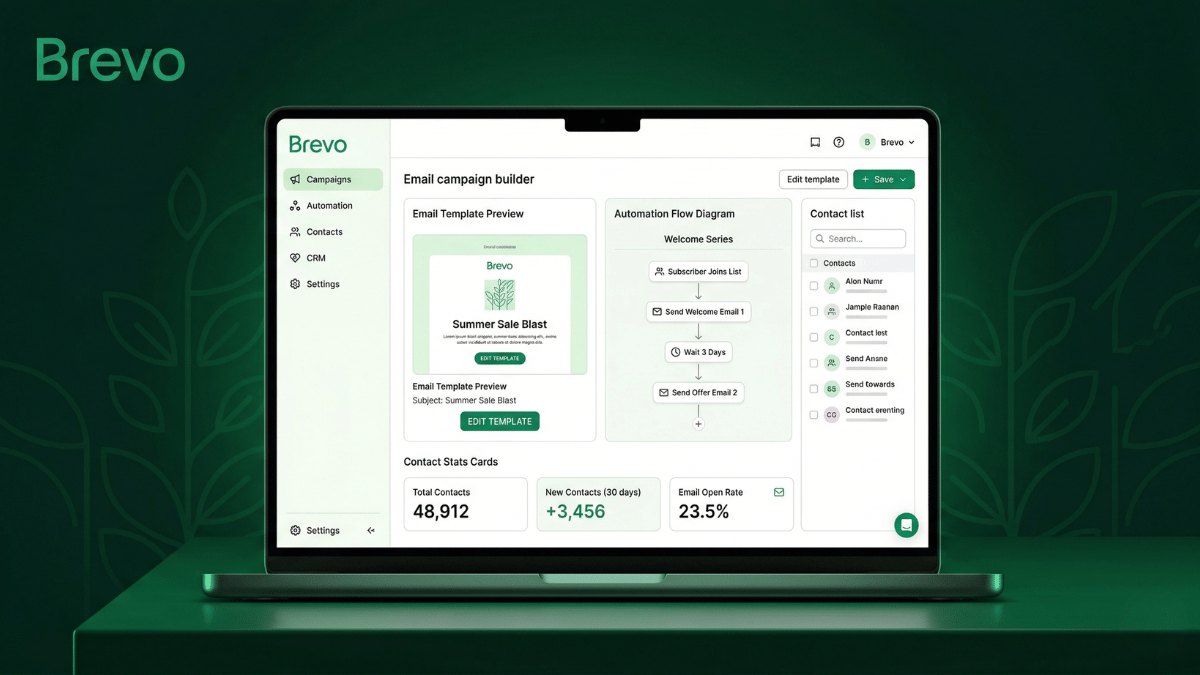
Brevo’s email builder lets you create professional emails without coding. Specifically, the drag-and-drop interface includes pre-designed blocks for headers, images, buttons, and content sections. Moreover, the editor includes 70+ professional email templates across industries. As a result, businesses launch campaigns within minutes rather than hours. Additionally, all emails are mobile-responsive by default. Furthermore, custom HTML editing remains available for advanced users.
List Segmentation and Personalization
Brevo includes powerful list segmentation across all paid plans. Specifically, segments can use behavior, demographics, purchase history, or custom fields. Moreover, dynamic content blocks personalize emails based on each subscriber’s data. As a result, campaigns deliver relevant content to different audience segments automatically. Additionally, A/B testing optimizes subject lines, send times, and content variations. Consequently, email performance improves continuously without manual analysis.
Marketing Automation Workflows
Brevo’s marketing automation handles complex multi-step campaigns. Specifically, automations trigger based on behavior, dates, or custom events. Moreover, workflows include email, SMS, WhatsApp, and CRM updates in unified flows. Additionally, branching logic adapts automations to subscriber actions. As a result, sophisticated nurture sequences run without manual intervention. Furthermore, workflow analytics show conversion rates at each step for optimization.
Email Analytics and Reporting
Detailed analytics track every campaign’s performance. Specifically, reports cover open rates, click rates, bounce rates, and conversion tracking. Moreover, heatmaps show which links subscribers click most. Additionally, comparison reports analyze performance across campaigns. As a result, marketers identify what works and refine future campaigns. Furthermore, exports support downstream analysis in BI tools.
📱 Multi-Channel Marketing
SMS Marketing
Brevo includes native SMS marketing for direct subscriber outreach. Specifically, SMS campaigns reach subscribers with 98% open rates compared to email’s 20%. Moreover, SMS works seamlessly within marketing automation workflows. Additionally, transactional SMS handles time-sensitive notifications. As a result, businesses combine email and SMS for stronger campaign performance. However, SMS sends cost extra credits beyond email plan allocations.
WhatsApp Campaigns
WhatsApp marketing is one of Brevo’s newer features. Specifically, businesses send transactional and marketing messages through WhatsApp Business API. Moreover, WhatsApp delivers high open rates in markets where the app dominates. Additionally, automated workflows include WhatsApp alongside email and SMS. As a result, businesses reach subscribers through their preferred channels. Therefore, WhatsApp expands engagement options beyond traditional email marketing.
Transactional Email Service
Brevo’s transactional email service handles automated business emails. Specifically, password resets, order confirmations, and shipping notifications send instantly. Moreover, the service uses dedicated IP infrastructure separate from marketing emails. Additionally, deliverability rates remain high for time-critical messages. As a result, businesses eliminate the need for separate transactional services like SendGrid or Postmark. Consequently, this saves significant cost on multi-vendor email stacks.
Live Chat for Websites
Brevo includes live chat functionality for website visitor conversion. Specifically, the chat widget integrates with Brevo’s CRM and email automation. Moreover, conversations automatically link to subscriber profiles. Additionally, chat messages can trigger automated email follow-ups. As a result, website visitors flow into nurture sequences after live chat interactions. Therefore, this consolidates marketing and conversion tools further into one platform.
📊 CRM and Lead Management
Built-in CRM
Brevo includes a free CRM alongside its email marketing tools. Specifically, the CRM tracks contacts, deals, and sales activities. Moreover, sales pipelines visualize deal progression through customizable stages. Additionally, every email opened, link clicked, or campaign engaged automatically syncs as CRM activity. As a result, sales teams see complete contact history without separate tools. Try the Brevo CRM integrated free with marketing plans.
Landing Pages and Forms
Brevo includes landing page and signup form builders. Specifically, the drag-and-drop editor creates professional landing pages without coding. Moreover, forms integrate directly with email lists and automation workflows. Additionally, A/B testing optimizes form conversion rates. As a result, businesses capture leads without separate landing page tools like Leadpages or Unbounce. Furthermore, this consolidates the lead capture and nurture stack into one subscription.
Integrations and API
Brevo integrates with 150+ business applications natively. Specifically, integrations cover ecommerce platforms, CMS, CRMs, and analytics tools. Moreover, popular integrations include Shopify, WooCommerce, WordPress, Salesforce, and HubSpot. Additionally, the open API supports custom integrations for unusual use cases. For teams still choosing their CRM platform, our guide on how to choose a CRM for a sales team covers the integration framework.
Brevo Pricing 2026: Every Plan Explained
Brevo pricing is structured across multiple plan tiers based on monthly email send volume. Specifically, plans differ in email allocation, automation features, and advanced capabilities. Moreover, the pricing model rewards businesses with large lists but moderate sending frequency. Here is the complete breakdown:
📊 Understanding Brevo’s Email-Based Pricing
Before comparing plans, the email-volume pricing model needs explanation. Specifically, Brevo charges based on emails sent per month rather than total contacts. Moreover, you can store unlimited contacts at every plan tier. As a result, list size never affects your monthly bill.
For example, a business with 100,000 contacts sending one email per month to 20,000 segment members pays for 20,000 emails. In contrast, contact-based platforms charge based on the full 100,000 list. Therefore, Brevo delivers significantly better value for businesses with large dormant segments. Additionally, this pricing model encourages list growth without penalty.
Free
$0/mo
No credit card · 300 emails/day
Includes 300 emails per day, unlimited contacts, drag-and-drop editor, basic templates, and CRM access. Moreover, the free plan includes basic transactional email and signup forms. However, Brevo branding appears on emails, and advanced features require paid plans. As a result, the free plan genuinely tests the platform with real campaigns. Specifically, 300 daily emails equals 9,000 monthly emails for free.
Starter
$9/mo
5,000 emails/month · No daily limit
Includes 5,000 emails per month with no daily sending limit. Moreover, removes Brevo branding from emails. Additionally, basic A/B testing and analytics unlock. As a result, this is the most popular plan for small businesses starting email marketing. Therefore, it is the right starting point for serious email campaigns. Specifically, plans scale upward by email volume from this base.
Business
$18/mo
Marketing automation included
Includes everything in Starter plus marketing automation, multi-user access, and advanced analytics. Moreover, send time optimization and predictive sending unlock. Additionally, Facebook ads integration and detailed reporting become available. Consequently, this plan suits established businesses running automated nurture sequences. As a result, most growing businesses land on Business for the automation capabilities.
Enterprise
Custom
Contact sales · Custom email volumes
Includes everything in Business plus dedicated infrastructure and customer success management. Specifically, custom email volumes, SSO, and advanced security controls unlock. Moreover, priority support and SLA guarantees become available. Additionally, advanced compliance features support regulated industries. Therefore, this plan suits large organizations with complex operational requirements.
Which Brevo Plan Should You Choose?
For most teams evaluating Brevo pricing, the path is clear. First, try the Free plan to validate the platform with 300 daily emails. Then, upgrade to Starter ($9/mo) for unlimited daily sending and 5,000 monthly emails. Moreover, established businesses typically choose Business ($18/mo) for marketing automation and advanced analytics. Finally, only choose Enterprise for custom email volumes and SSO requirements. Watch for Brevo’s Black Friday deal for additional savings.
Get more value than Mailchimp at half the price
Join 500,000+ businesses paying less for more features with Brevo’s email-volume pricing.
Brevo Review: Honest Pros and Cons
This honest Brevo review section covers both genuine strengths and real limitations. Specifically, the analysis draws from verified user reviews across G2, Capterra, and TrustRadius:
✅ Where Brevo Delivers
- Email-volume pricing genuinely beats contact-based pricing for most businesses
- Unlimited contacts on every plan including the free tier
- Free plan with 300 daily emails actually works for validating the platform
- Marketing automation included on Business plan at $18/mo (cheap vs competitors)
- Built-in transactional email service eliminates SendGrid or Postmark subscriptions
- SMS, WhatsApp, and live chat included alongside email marketing
- Native CRM included free with all paid plans
- Drag-and-drop email builder rivals Mailchimp’s editor in usability
- Landing pages and signup forms built-in (saves Leadpages or Unbounce subscription)
- 150+ native integrations with major business platforms
- 4.5/5 on G2 from 2,200+ verified reviews — reliable performance
- 500,000+ customers across 180+ countries
- EU-based with strong GDPR compliance built-in
❌ Where Brevo Falls Short
- Free plan applies Brevo branding to emails until you upgrade
- Daily sending limits on lower plans frustrate high-volume marketers
- SMS and WhatsApp consume separate credit allocations
- CRM features lighter than dedicated platforms like HubSpot or Salesforce
- Marketing automation is sophisticated but learning curve steeper than Mailchimp
- Customer support response times slower than Mailchimp on lower-tier plans
- Template selection narrower than Mailchimp’s design library
- Reporting depth lighter than enterprise platforms like ActiveCampaign
- Some legacy Sendinblue users still prefer the old branding and interface
Brevo vs Mailchimp: Which Email Marketing Platform Wins?
The Brevo vs Mailchimp comparison is the most common decision for small businesses choosing email marketing software. Specifically, both platforms target SMBs but differ significantly in pricing model and feature breadth. Here is the honest side-by-side comparison:
| Feature | Brevo | Mailchimp | ActiveCampaign | Sender |
|---|---|---|---|---|
| Pricing Model | Email volume | Contact-based | Contact-based | Contact-based |
| Free Plan | ✓ 300 emails/day | ✓ 500 contacts | ✗ | ✓ 2,500 contacts |
| Starting Paid Price | $9/mo | $13/mo | $15/mo | $15/mo |
| Unlimited Contacts | ✓ All plans | ✗ | ✗ | Limited |
| Marketing Automation | ✓ Business plan | ✓ Higher tiers | Best in class | ✓ Limited |
| SMS Marketing | ✓ Native | Add-on | Add-on | ✗ |
| Transactional Email | ✓ Included | Mandrill add-on | Limited | ✗ |
| Built-in CRM | ✓ Free | Limited | ✓ | ✗ |
| G2 Rating | 4.5/5 (2,200+) | 4.4/5 (12,000+) | 4.5/5 (10,000+) | 4.6/5 |
| Best For | Volume-flexible SMBs | Beginners with small lists | Advanced automation | Budget-focused teams |
🎯 When Brevo Wins Over Mailchimp
Brevo wins on pricing model, multi-channel features, and total platform value. Specifically, Brevo’s email-volume pricing saves money for businesses with large lists but moderate sending. Moreover, Brevo includes SMS, WhatsApp, transactional email, and CRM that Mailchimp charges extra for. Additionally, Brevo’s $9/mo Starter plan undercuts Mailchimp’s $13/mo entry tier. As a result, Brevo delivers better total value for most SMBs evaluating both platforms.
🐵 When Mailchimp Wins Over Brevo
Mailchimp wins on brand recognition, template variety, and beginner-friendly onboarding. Specifically, Mailchimp’s brand familiarity reduces team training overhead. Moreover, the template library is broader than Brevo’s design selection. Additionally, Mailchimp’s customer support has historically been faster on lower-tier plans. Therefore, businesses prioritizing speed-to-launch may prefer Mailchimp despite the higher cost. See Brevo as the Mailchimp alternative if you want to switch.
Brevo vs ActiveCampaign: Multi-Channel vs Automation Specialist
The Brevo vs ActiveCampaign comparison comes up for businesses prioritizing marketing automation depth. Specifically, ActiveCampaign is widely considered the automation specialist while Brevo is the multi-channel generalist. Here is the honest comparison:
🤖 Where ActiveCampaign Wins
ActiveCampaign wins on marketing automation sophistication. Specifically, ActiveCampaign’s automation builder offers deeper branching logic and more trigger options. Moreover, behavioral tracking and predictive analytics outperform Brevo’s automation features. Additionally, ActiveCampaign’s CRM is more robust than Brevo’s built-in option. Therefore, businesses where complex automation is mission-critical typically choose ActiveCampaign.
📨 Where Brevo Wins
Brevo wins on multi-channel breadth, pricing, and platform value. Specifically, Brevo includes SMS, WhatsApp, and transactional email that ActiveCampaign charges extra for. Moreover, Brevo’s $9/mo Starter plan beats ActiveCampaign’s $15/mo entry pricing. Additionally, Brevo’s email-volume model rewards businesses with large dormant lists. As a result, Brevo delivers better total value when multi-channel marketing matters more than automation depth.
Brevo Alternatives: When to Choose a Different Platform
Brevo is the right choice for most SMBs needing multi-channel marketing on a budget. However, specific use cases are better served by alternatives. Here are the strongest Brevo alternatives worth considering:
💰 Sender — For Budget-Focused Email-Only Teams
Sender is the right Brevo alternative when budget is the primary constraint. Specifically, Sender’s free plan includes 2,500 contacts vs Brevo’s 300 daily emails. Moreover, Sender focuses purely on email marketing without multi-channel features. However, Sender lacks SMS, WhatsApp, transactional email, and CRM that Brevo includes. Therefore, Sender suits very budget-constrained teams that need email only. Read our Sender review for detailed comparison.
🤖 ActiveCampaign — For Advanced Automation Specialists
ActiveCampaign is the right Brevo alternative when marketing automation is mission-critical. Specifically, ActiveCampaign’s automation builder is more sophisticated than Brevo’s. Moreover, predictive sending and AI-driven optimization outperform Brevo’s tools. However, ActiveCampaign costs significantly more and lacks Brevo’s multi-channel features. Therefore, ActiveCampaign suits businesses where automation depth justifies the higher cost.
🐵 Mailchimp — For Brand-Familiar Beginners
Mailchimp is the right Brevo alternative for teams prioritizing brand familiarity and template variety. Specifically, Mailchimp’s brand recognition reduces team training overhead. Moreover, the template library is broader and more polished. However, Mailchimp’s contact-based pricing scales expensive faster than Brevo’s volume-based model. Therefore, Mailchimp suits beginners with small lists who value the familiar brand.
Pairing Brevo With Sales and Inbound Tools
Brevo handles marketing email and broadcast campaigns excellently. However, complete revenue operations also require sales prospecting and inbound attribution tools. Consequently, pairing Brevo with the right sales stack creates seamless lead-to-customer workflows.
🎯 Outbound Sales Pairing
For outbound sales prospecting, Brevo pairs naturally with dedicated outbound tools. Specifically, our Apollo.io review covers the leading sales prospecting platform with native sequencing. Moreover, our Reply.io review covers a specialist cold email tool that complements Brevo’s marketing focus. Additionally, businesses can use Brevo for marketing automation while running outbound through these specialist tools.
📞 Call Tracking for Inbound Attribution
For businesses running paid media campaigns, inbound calls represent significant revenue. Specifically, call tracking software attributes each inbound call to its marketing source. Moreover, our CallRail review covers the leading platform for call attribution. As a result, marketing teams see complete attribution across email (Brevo) and inbound calls (CallRail). Therefore, this architecture delivers full-funnel visibility from marketing investment to closed revenue.
🏆 Brevo Review 2026: Our Final Verdict
Based on this complete Brevo review, Brevo earns a strong recommendation as one of the best email marketing platforms for SMBs in 2026. Specifically, the combination of email-volume pricing, multi-channel features, built-in CRM, and transactional email service makes it the most complete marketing platform at SMB-friendly prices. Moreover, the 4.5/5 G2 rating from 2,200+ verified reviews confirms real-world performance.
⚠️ Honest Limitations to Consider
However, several limitations deserve attention. First, the free plan applies Brevo branding to emails until you upgrade. Second, marketing automation is less sophisticated than ActiveCampaign’s specialist tools. Third, customer support response times can lag on lower-tier plans. Nevertheless, for SMBs prioritizing total platform value over specialist depth, Brevo delivers genuine value at every paid tier.
🎯 Recommended Path Forward
For most teams evaluating Brevo, the recommended path is clear. First, start with the free plan to validate the platform with 300 daily emails. Then, upgrade to Starter at $9/mo for unlimited daily sending and 5,000 monthly emails. Finally, move to Business at $18/mo when marketing automation becomes essential. Consequently, this progression matches investment to marketing complexity gradually.
✅ Brevo is right for you if:
- You want the best total value email marketing platform for SMBs
- You have a large contact list but moderate sending frequency
- You need email plus SMS, WhatsApp, or transactional in one platform
- You want a built-in CRM without paying for HubSpot or Salesforce
- You need transactional email without separate SendGrid subscription
- You prioritize EU-based data residency and strong GDPR compliance
⚠️ Consider alternatives if:
- Marketing automation depth is mission-critical (choose ActiveCampaign)
- You need only email marketing on a tight budget (choose Sender)
- You prioritize brand familiarity above all else (consider Mailchimp)
- You need enterprise-grade compliance certifications beyond GDPR
- You require deeper template variety than Brevo’s library offers
Start Your Brevo Free Plan Today
Join 500,000+ businesses using Brevo for email marketing, SMS, automation, and CRM in one platform.
Free 300 emails/day · Starter from $9/mo · Business from $18/mo · Enterprise custom