Firstbase.io Review 2026: Start Your US Business from Any Country
Affiliate Disclosure: This article contains affiliate links. If you sign up through our link, we may earn a commission at no extra cost to you. We only recommend tools we genuinely believe provide value. Read our full disclaimer →
Firstbase.io Review 2026: The Best Way to Start a US Business from Anywhere?
Whether you’re a foreign entrepreneur, a digital nomad, or a startup founder — registering a US company used to require expensive lawyers, paperwork headaches, and months of waiting. Firstbase.io promises to change all of that — in minutes, not months.
What Is Firstbase.io?
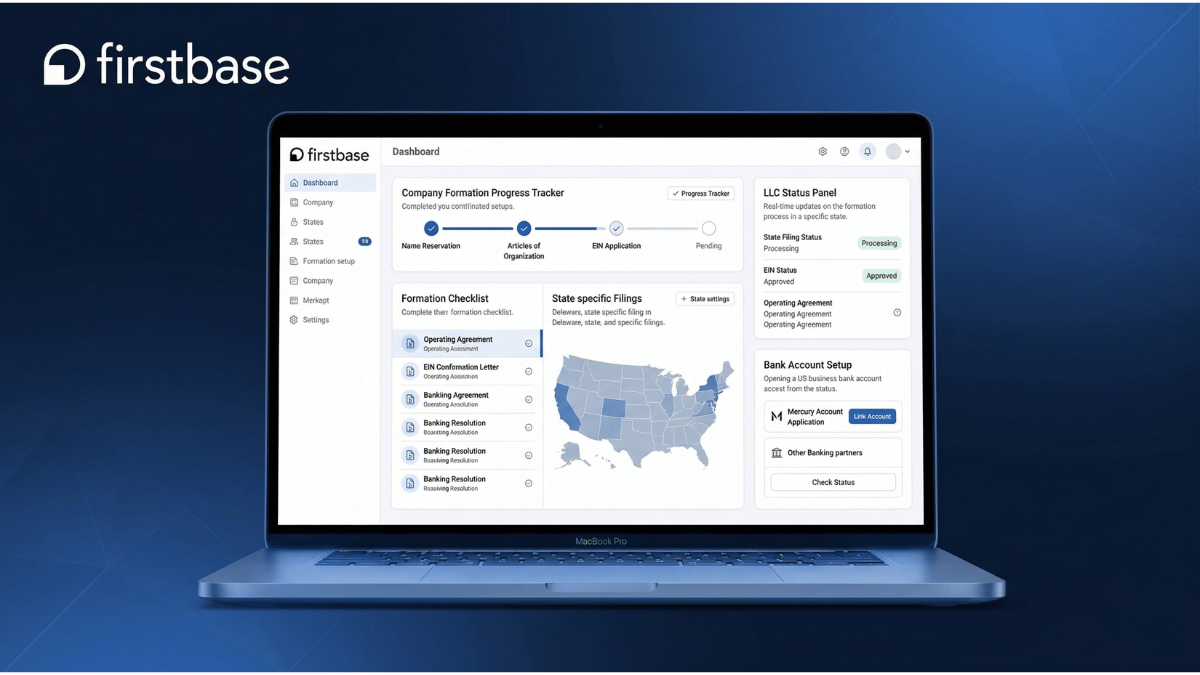
Firstbase.io is an all-in-one platform that helps entrepreneurs, startups, and digital nomads from anywhere in the world start and run a US-based business — without needing to set foot on American soil, hire expensive lawyers, or navigate complex government paperwork.
Founded with the mission of democratizing access to the US startup ecosystem, Firstbase has helped thousands of entrepreneurs from 120+ countries incorporate their companies in the US — gaining access to US banking, payment processors, investors, and the world’s most powerful business ecosystem.
Beyond company formation, Firstbase offers a comprehensive suite of tools including registered agent services, virtual mailroom, AI-powered accounting, tax filing, compliance management, and over $350,000 in startup perks from leading software providers — all accessible from a single, intuitive dashboard.
Who Is Firstbase Best For?
International Entrepreneurs
Non-US residents who want to incorporate a US company, open a US bank account, and access the American startup ecosystem from anywhere in the world.
Digital Nomads & Remote Founders
Location-independent entrepreneurs who need a US business entity, US address, and professional business infrastructure without a physical US presence. Remote founders working across multiple devices and locations will also benefit from our 1Password review — the leading password manager for protecting business credentials across teams.
Startups Seeking US Investment
Founders planning to raise venture capital — Delaware C-Corps are the preferred entity for US investors, and Firstbase handles the entire setup. Once incorporated, many startups use our Deel review to learn how to hire and pay their global team compliantly.
E-commerce & SaaS Businesses
Online businesses that need a US entity to access Stripe, PayPal, US payment processors, and global customers who prefer US-based vendors.
Freelancers & Consultants
Independent professionals who want to formalize their business, reduce personal liability, and appear more credible to US-based clients.
Small Business Owners
US-based entrepreneurs who want an all-in-one platform for formation, compliance, accounting, and tax filing without managing multiple providers. New business owners who also need to manage projects and their growing team will find our ClickUp review covers the best all-in-one project management platform.
Firstbase Key Features
LLC & C-Corp Formation
Incorporate in Delaware or Wyoming — the two most business-friendly US states. All paperwork is automated. No legal knowledge required. Includes EIN setup, standard legal documents, and operating agreements.
US Bank Account Setup
Get a US business bank account through Mercury — one of the best banking platforms for startups. Accessible to non-US residents. No minimum balance, no monthly fees, and instant setup after formation.
Virtual Mailroom
Premium US business address in New York City or San Francisco with mail scanning and forwarding. All official business mail is digitized and available in your dashboard — maintaining privacy and professionalism.
Registered Agent Service
Stay compliant in every state with Firstbase’s registered agent service. Handles franchise tax, annual reports, and compliance filings automatically — keeping your business in good standing year-round.
AI-Powered Accounting
Full-service bookkeeping powered by AI with human oversight. Integrates with your bank and financial sources automatically. Tax-ready financials delivered on time, every time — no spreadsheets needed.
Tax Filing Services
State and federal tax filing support for LLCs and C-Corps. Firstbase handles the complexity of US tax compliance — from annual reports to IRS filings — so you can focus on growing your business.
$350,000+ in Startup Perks
Access over $350,000 in credits and discounts from world-class companies including Notion, AWS, Stripe, HubSpot, Deel, and more — included with your Firstbase membership.
Carta Integration
Create a cap table in Carta with one click after assigning equity. File 83(B) elections for free and on time. Essential for startups planning to raise venture capital or issue employee stock options.
Multi-Language Support
Platform available in English, Russian, Spanish, French, Portuguese, and Arabic — making it truly accessible for international founders from every region of the world.
Firstbase Pricing Plans 2026
Firstbase offers a straightforward pricing structure — starting with a one-time formation fee, with optional recurring services for ongoing business management.
Start
$399 one-time
Everything to launch
LLC or C-Corp formation, EIN setup, US bank account, US address, legal documents, lifetime support.
Mailroom
$35/mo
Virtual mailbox
Premium US business address with mail scanning and forwarding.
Registered Agent
$299/yr
Per state
Compliance reminders, annual report filings, registered agent services.
Accounting
$1,890/yr
Full-service
AI-powered bookkeeping, financial reports, tax-ready financials.
Tax Filing
$1,799/yr
State & federal
Complete US tax filing for LLCs and C-Corps — state and federal.
Get 10% Off Your First Purchase
Use our exclusive referral link to get 10% off your first Firstbase purchase of $100 or more. Start your US business today and save on formation fees instantly — click here to claim your discount →
Firstbase Pros & Cons
✅ Pros
- Form a US LLC or C-Corp from any country in the world
- All-in-one dashboard — formation to compliance
- US bank account via Mercury included
- $350,000+ in startup perks and software credits
- Carta integration for cap tables and 83(B) filings
- Available in 6 languages for international founders
- No paperwork or legal knowledge required
- Delaware and Wyoming — most business-friendly states
- 24/7 customer support
- Virtual mailroom with NY/SF business address
- AI-powered accounting and bookkeeping
- Trusted by founders from 120+ countries
❌ Cons
- Only incorporates in Delaware and Wyoming
- Add-on costs can stack up for full-service users
- Tax filing and accounting services are pricey
- Support response times can be slow for complex issues
- No free trial available
- Does not provide personalized legal or tax advice
- State processing times outside their control
Firstbase vs Competitors 2026
| Feature | Firstbase | LegalZoom | Doola | Stripe Atlas |
|---|---|---|---|---|
| Formation Price | $399 | $79–$299+ | $297–$1,999 | $500 |
| International Founders | ✓ 120+ countries | Limited | ✓ | ✓ |
| US Bank Account | ✓ Mercury | ✗ | ✓ | ✓ |
| Virtual Mailroom | ✓ | ✗ | ✓ | ✗ |
| Startup Perks | ✓ $350K+ | ✗ | ✓ | ✓ |
| Accounting | ✓ AI-powered | Limited | ✓ | ✗ |
| Carta Integration | ✓ | ✗ | ✗ | ✓ |
| Multi-Language | ✓ 6 languages | English only | Limited | English only |
| All-in-One Dashboard | ✓ | ✗ | ✓ | Limited |
Bottom line: Firstbase wins on all-in-one features, international founder support, multi-language platform, and startup perks. LegalZoom is cheaper for basic formation but lacks ongoing management tools. Stripe Atlas is great for tech startups but more limited. For international entrepreneurs who want everything in one place — Firstbase is the clear winner.
🏆 Final Verdict
Firstbase.io is the most complete platform for international founders and remote entrepreneurs who want to start and run a US business from anywhere in the world. The $399 formation fee is a fair price for everything included — LLC/C-Corp formation, US bank account, US address, EIN, legal documents, lifetime support, and $350,000+ in startup perks. If you’re a non-US resident dreaming of launching a US company, building a SaaS product, raising venture capital, or simply accessing US payment processors — Firstbase removes every barrier that used to stand in your way.
✅ Firstbase is perfect if you:
- Are a non-US resident wanting a US company
- Need a US bank account and EIN from abroad
- Plan to raise venture capital (Delaware C-Corp)
- Want one dashboard for all business operations
- Need a professional US business address
- Want $350K+ in software credits and perks
❌ Firstbase may not be right if you:
- Need incorporation in states other than DE or WY
- Want the cheapest possible formation service
- Need personalized legal or tax advice
- Are looking for an S-Corp formation option
- Want a self-service only platform with no add-ons
Start Your US Business with Firstbase Today
Use our exclusive link to get 10% off your first purchase. Join thousands of founders from 120+ countries who launched their US dream business with Firstbase.
🏢 Start Your US Business — Get 10% Off
10% off first purchase of $100+ · No US residency required · Start in minutes