Flippa Review 2026: Buy & Sell Online Businesses, Websites & Digital Assets
Affiliate Disclosure: This article contains affiliate links. If you sign up through our link, we may earn a commission at no extra cost to you. We only recommend tools we genuinely believe provide value. Read our full disclaimer →
Flippa Review 2026: The Best Marketplace to Buy & Sell Online Businesses?
What if you could buy a profitable website, e-commerce store, or SaaS business already generating revenue — without building it from scratch? That’s exactly what Flippa makes possible. But is it the right marketplace for you in 2026?
What Is Flippa?
Flippa is the world’s largest online marketplace for buying and selling digital businesses and assets — including websites, e-commerce stores, SaaS products, mobile apps, Amazon FBA businesses, domain names, and newsletters. Founded in 2009 as a spin-off of SitePoint, Flippa pioneered the concept of digital business acquisition — making it accessible to everyday entrepreneurs, not just large corporations.
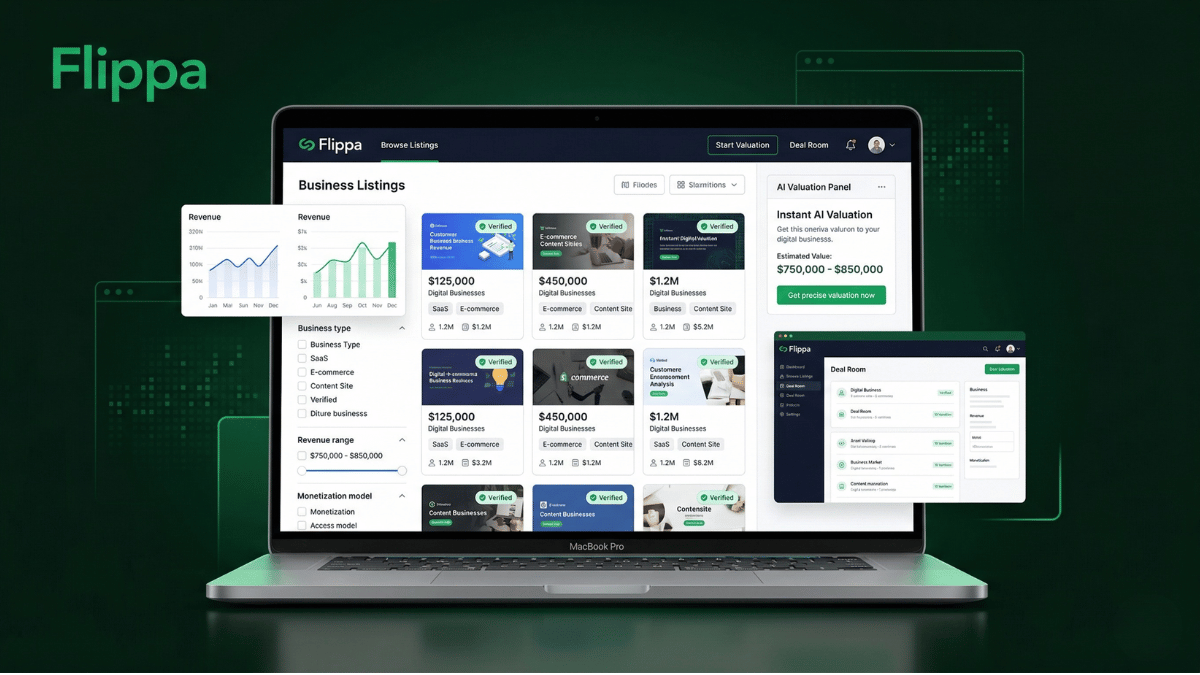
In 2026, Flippa has evolved far beyond a simple listing platform. It now offers AI-powered valuations, automated due diligence tools, verified financial integrations, escrow services, legal support, and an investor matchmaking engine — making it a full-service digital M&A platform for deals of all sizes.
The platform has facilitated over $500 million in transactions — ranging from small content sites selling for a few thousand dollars to established SaaS businesses changing hands for millions. Real success stories include a dating site purchased for a few thousand dollars that grew to $6,000/month revenue, and an outdoor content site bought for under $10,000 that later sold for $175,000. Many buyers also acquire e-commerce stores already running on dropshipping platforms — our Spocket review covers the leading dropshipping supplier platform for US and EU products.
Who Is Flippa Best For?
First-Time Business Buyers
Entrepreneurs who want to skip the startup phase and buy a business already generating revenue — content sites, e-commerce stores, or apps.
Digital Investors & Portfolio Builders
Investors building portfolios of online businesses — buying undervalued digital assets, improving them, and selling at a profit.
Founders Ready to Exit
Business owners who have built a profitable website or app and want to sell it — reaching 1.5M+ potential buyers in one marketplace.
Serial Acquirers & Agencies
Professional buyers who regularly acquire, operate, and flip digital businesses as a primary business model.
SaaS & App Developers
Developers who build software products and want to sell them to operators, or buyers who want to acquire existing SaaS with recurring revenue.
Domain Investors
Buyers and sellers of premium domain names looking for the largest marketplace with the most active domain buyers globally.
What Can You Buy & Sell on Flippa?
Content & Blog Sites
Websites monetized through display ads, affiliate marketing, or sponsorships. From niche hobby blogs to authority content sites generating thousands per month in passive income.
E-commerce Stores
Shopify, WooCommerce, and standalone e-commerce businesses with established customer bases, supplier relationships, and proven revenue streams.
SaaS Products
Software-as-a-Service businesses with recurring monthly revenue — from micro-SaaS tools to established platforms with thousands of paying customers.
Amazon FBA Businesses
Amazon seller accounts with established product listings, inventory, reviews, and sales history — ready-made e-commerce operations with proven demand.
Mobile Apps
iOS and Android applications monetized through ads, subscriptions, or in-app purchases — from utility apps to games and productivity tools.
Domain Names
Premium and aged domain names with strong keyword value, existing traffic, or brand potential — sold via auction or direct sale.
Newsletters & Communities
Email newsletters with engaged subscriber lists, paid communities, and social media accounts with established audiences and monetization models.
Digital Products & KDP
Amazon KDP (Kindle Direct Publishing) accounts, digital product businesses, online courses, and educational content platforms.
Flippa Key Features 2026
AI-Powered Valuation
Get an instant, data-backed business valuation using comparable sales, revenue history, traffic data, and proprietary AI models. Know exactly what your business is worth before listing — or what a business is worth before buying.
Verified Financials
Sellers can connect Stripe, PayPal, Google Analytics, QuickBooks, and other platforms to provide verified financial data. Listings with verified financials display a badge — giving buyers greater confidence and often commanding higher prices. Sellers using a dedicated accounting software like QuickBooks will find it connects directly for seamless financial verification.
Due Diligence Center
Professional due diligence reports covering legal, financial, SEO, and operational analysis — powered by third-party experts. All businesses above $50,000 receive verified due diligence. Essential for protecting your investment.
AI Buyer Matching
Machine learning connects buyers and sellers based on deal preferences, budget, industry, and business type. Your listing gets shown to the most relevant buyers — accelerating the sale process dramatically.
Escrow Protection
All major transactions use Escrow.com integration — buyer funds are held securely until asset transfer is complete and both parties are satisfied. Post-sale insurance available for added peace of mind on larger deals.
Deal Room & Messaging
Integrated messaging, document sharing, NDA requests, and LOI templates for smooth negotiation. Multi-party deal rooms for larger transactions with full audit trail and communication history.
Broker & Advisor Network
Access Flippa’s network of M&A advisors and brokers for high-value transactions. Premium buyers get dedicated customer success managers and priority support for navigating complex deals.
Advanced Search & Filters
Filter listings by asset type, monetization model, revenue range, profit margin, growth rate, industry, platform, and more. Find exactly the type of business you’re looking for in seconds.
Flippa Fees & Pricing 2026
Flippa charges sellers a listing fee plus a success fee upon sale. Buyers can browse and bid for free.
Domain Listings
$29
One-time listing fee
List domains for sale. Reach 1.5M+ active buyers globally.
Starter Sites
$49
+ 10% success fee
List starter websites and pre-revenue digital businesses.
Established Sites
$49+
+ success fee (sliding scale)
Revenue-generating websites, e-commerce, SaaS, and apps. Success fee decreases as deal size increases.
Confidential Listing
$199
Add-on upgrade
Hide your business URL and details from public view. Protect against copycats.
Buyers
Free
Browse & bid for free
Create a free account to browse all listings, make offers, and bid on auctions.
Lower Success Fees Than Traditional Brokers
Flippa guarantees to beat any broker’s commission rate by 1% — making it more cost-effective than traditional M&A brokers like Empire Flippers (15%+ commission) for most deal sizes. For sellers looking to maximize their exit value, Flippa’s lower fee structure keeps more money in your pocket.
Flippa Pros & Cons
✅ Pros
- World’s largest digital business marketplace
- 1.5M+ registered buyers — maximum exposure for sellers
- AI-powered instant business valuations
- Verified financial integrations — Stripe, PayPal, GA
- Escrow.com integration for secure transactions
- Lower success fees than traditional brokers
- All asset types — sites, apps, SaaS, FBA, domains
- Due diligence center for $50K+ deals
- Post-sale insurance available
- Free for buyers to browse and bid
- Deals close in 15-60 days on average
- Real success stories of 10-20x ROI deals
❌ Cons
- Listings below $50K not fully verified by Flippa
- Some scam listings — due diligence is buyer’s responsibility
- Listing fee charged even if business doesn’t sell
- Confidential listings cost extra $199
- High volume means quality varies significantly
- 10% success fee on smaller deals can be significant
- Buyers must sift through many listings to find quality
- Customer support inconsistent for complex disputes
Flippa vs Competitors 2026
| Feature | Flippa | Empire Flippers | Acquire.com | Motion Invest |
|---|---|---|---|---|
| Listing Fee | $29–$49 | Free (invite only) | Free | Free |
| Success Fee | 10% (sliding scale) | 15%+ | 5–8% | 15% |
| Active Listings | 10,000+ | ~300 | ~2,000 | ~200 |
| Registered Users | 1.5M+ | ~100K | ~200K | ~50K |
| Minimum Deal Size | Any size | $50,000+ | Any size | $1,000+ |
| Listing Quality | Mixed — open marketplace | ⭐⭐⭐⭐⭐ Curated | ⭐⭐⭐⭐ | ⭐⭐⭐⭐⭐ Verified |
| AI Valuation Tools | ✓ | Limited | ✓ | Limited |
| Due Diligence | ✓ $50K+ | ✓ All listings | Partial | ✓ All listings |
| Escrow Included | ✓ Escrow.com | ✓ | ✓ | ✓ |
Bottom line: Flippa wins on marketplace size, active listings, buyer reach, and accessibility for all deal sizes. Empire Flippers and Motion Invest win on listing quality and verification. Acquire.com wins on lower success fees. For maximum exposure and the widest range of buying opportunities — Flippa is the clear market leader.
Pro Tips for Buying on Flippa
To get the best results on Flippa — follow these expert-recommended practices:
Always Look for Verified Financials
Prioritize listings with the verified badge — where revenue is confirmed through connected Stripe, PayPal, or accounting integrations, not self-reported screenshots.
Use the Due Diligence Center
For deals above $5,000 — always commission a professional due diligence review. The cost is minimal compared to the protection it provides against fraudulent listings.
Check Traffic Sources Independently
Request Google Analytics access and verify traffic sources yourself. Look for organic search traffic — it’s the most stable and valuable. Avoid sites dependent on a single paid traffic source. After acquisition, consider connecting your new asset to a business analytics dashboard for real-time performance monitoring across all channels.
Look for Low Multiples
Flippa’s sales multiples tend to be lower than curated brokers — meaning you can often buy businesses at 20-30x monthly revenue vs. 35-40x elsewhere. This is where the real value hides.
Always Use Escrow
Never transfer payment directly to a seller. Always use Flippa’s integrated Escrow.com service — it holds your funds until the assets are successfully transferred to your control.
Review Seller History
Check the seller’s Flippa profile for completed transactions, reviews, and history. Experienced sellers with positive reviews are significantly safer to transact with.
🏆 Final Verdict
Flippa is the undisputed leader in online business marketplaces — and for good reason. No other platform gives you access to 10,000+ active listings, 1.5M+ buyers, and a full suite of AI-powered valuation and due diligence tools in one place. For sellers, it offers unmatched reach and competitive fees. For buyers, it offers the broadest selection of digital assets at every price point — with real opportunities to find undervalued businesses that deliver exceptional ROI. The key is approaching it with the right due diligence mindset — verify everything, use escrow, and the platform delivers genuine, life-changing deals.
✅ Flippa is perfect if you:
- Want to buy a profitable website or online business
- Are selling a digital business and need maximum reach
- Want to invest in digital assets and build a portfolio
- Are looking for SaaS, e-commerce, or content acquisitions
- Want lower broker fees than traditional M&A firms
- Need AI-powered valuation tools for your business
❌ Flippa may not be right if you:
- Want fully vetted, curated listings only (try Empire Flippers)
- Are new to buying and unwilling to do due diligence
- Need guaranteed buyer protection on all listings
- Are selling a business under $10,000 (low visibility)
- Want zero listing fees regardless of outcome
Start Buying or Selling on Flippa Today
Join 1.5 million entrepreneurs and investors on the world’s largest digital business marketplace. Browse 10,000+ listings or list your business and reach the world’s most active buyer network.
💼 Start on Flippa — Browse Free Today
Free to browse · Free to create account · List your business from $29